



Training management module

Simplify compliance with our connected Training Management Module

Bring training, certificates, qualifications, policies, and competency assessments into one connected platform. Site App Pro’s Training Management Module removes the administrative load and provides total visibility into worker readiness, ensuring your entire team - from employees to casual workers - is fully cleared to work before arriving at work.

Book a demo
Compare plans
Trusted by 1,200+ companies and used on 300,000+ projects.
Row of workers in orange hi-vis vests and hard hats seen from behind

Connected training, built for the workplace

What is the training management module?

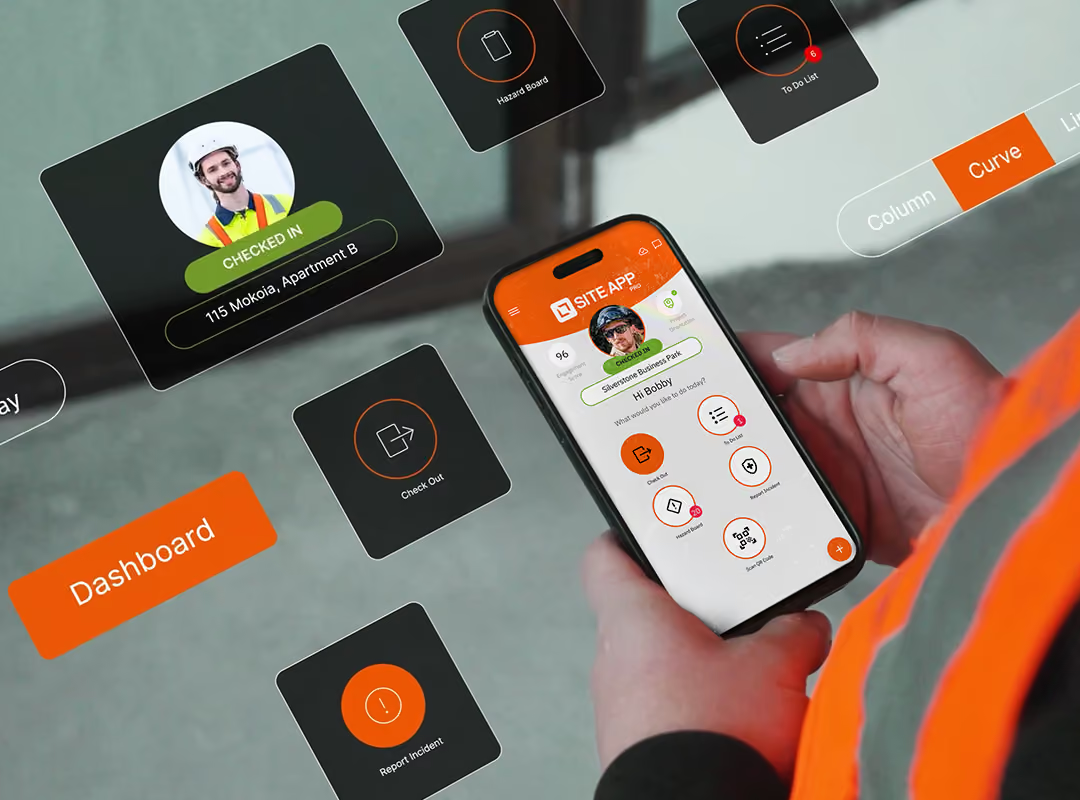
Site App Pro’s Training Management Module solves the chaos of workplace compliance by connecting training requirements, evidence, and tracking in one place. Define custom job role requirements, set automated renewal reminders, and give workers mobile app access to complete training on the go. Even external workers can fulfill requirements without needing logins. With real-time Work Ready scores and instant audit exports, you eliminate paperwork backlogs, reduce admin overhead, and gain total confidence that every person is cleared to work. 

Key features

Training requirements and activities

Customised training requirements for your company

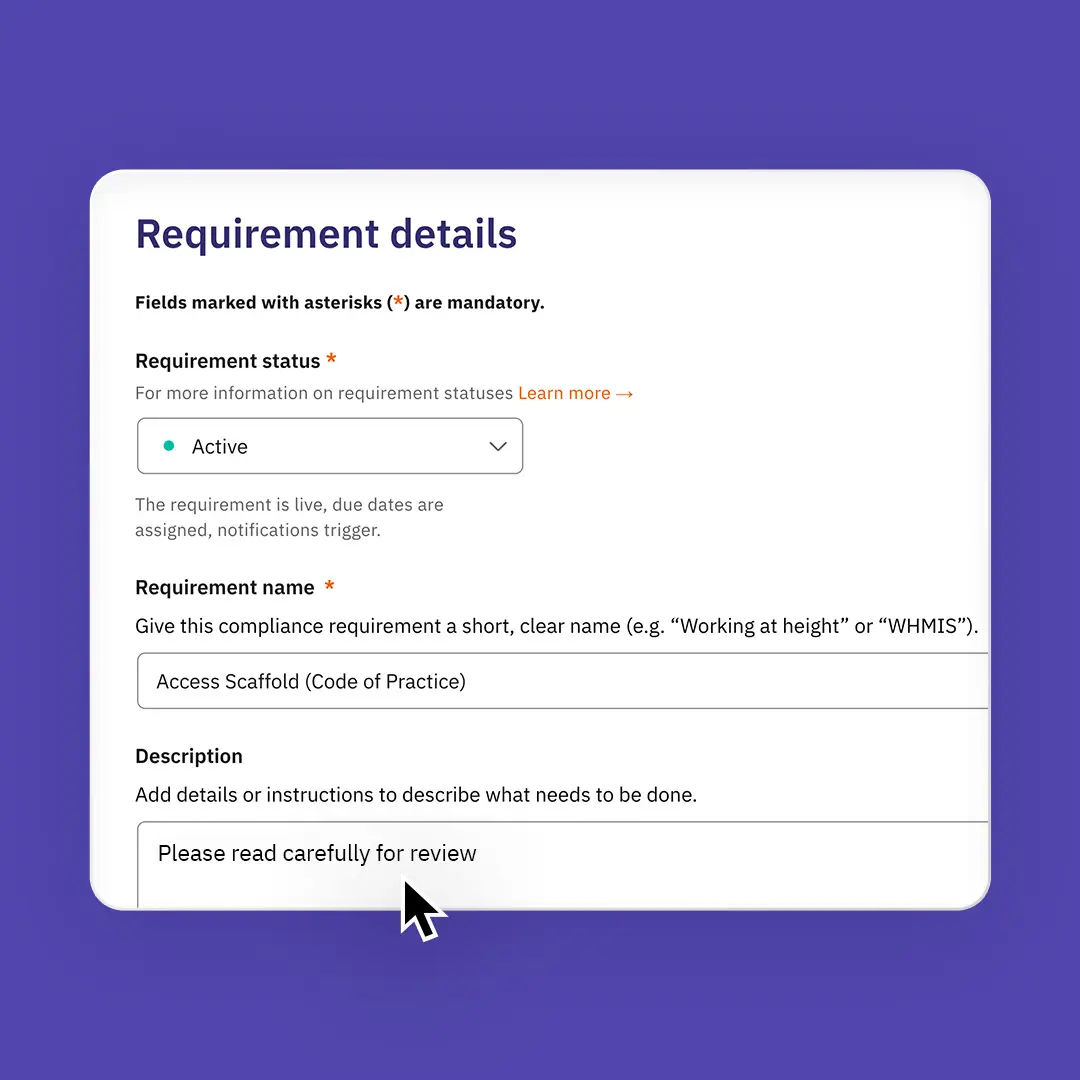
Turn your onboardings, qualifications, policies, and sign-offs into clear requirements for every job role, user group, casual worker, subcontractor, or individual. Combine up to 30 activities - from online quizzes to classroom sessions - or accept existing valid certificates. New requirements automatically follow the team, with built-in grace periods or exemptions for existing staff to ensure smooth rollouts.

Learn more about training
Training matrix and training register

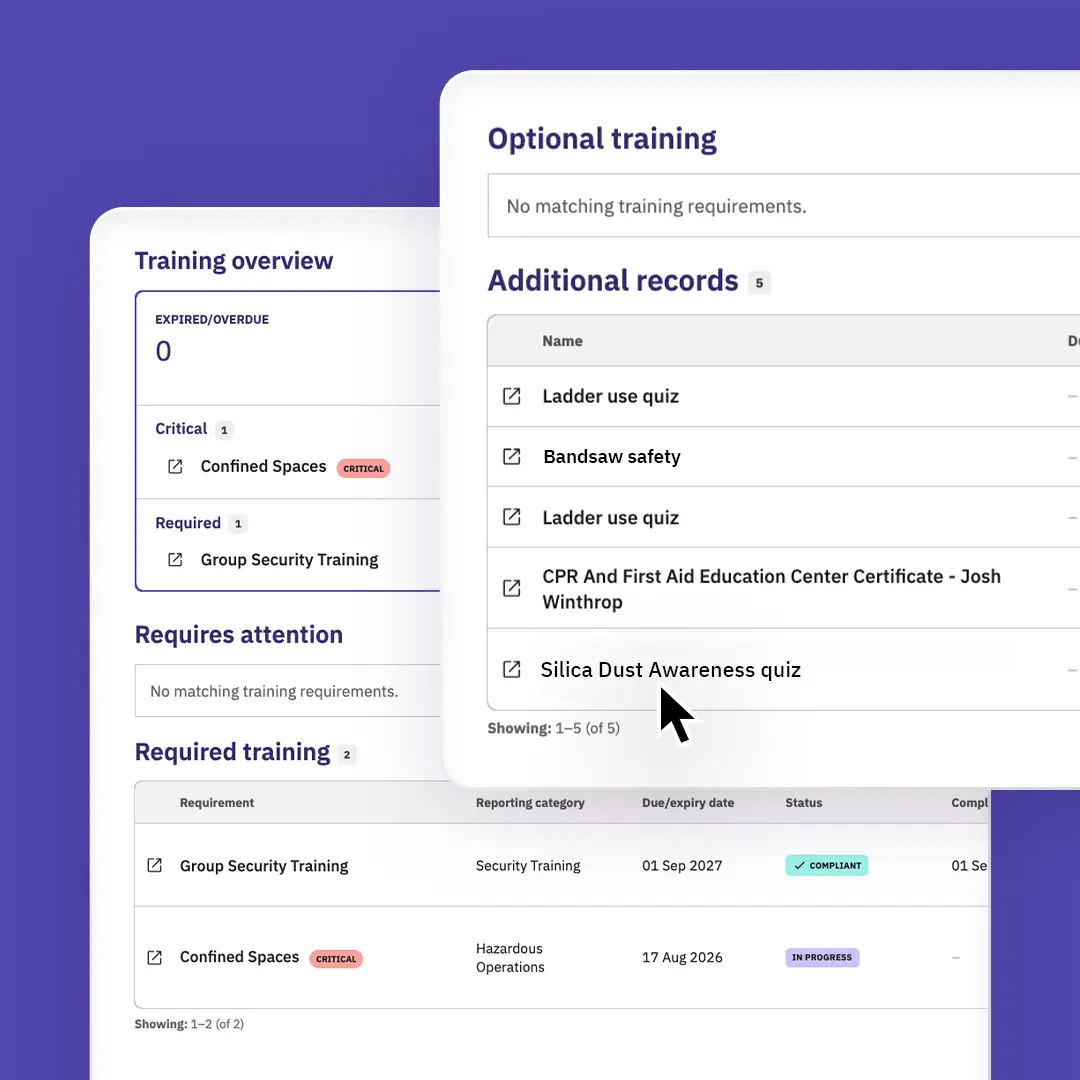
Real-time field visibility and work-ready scores

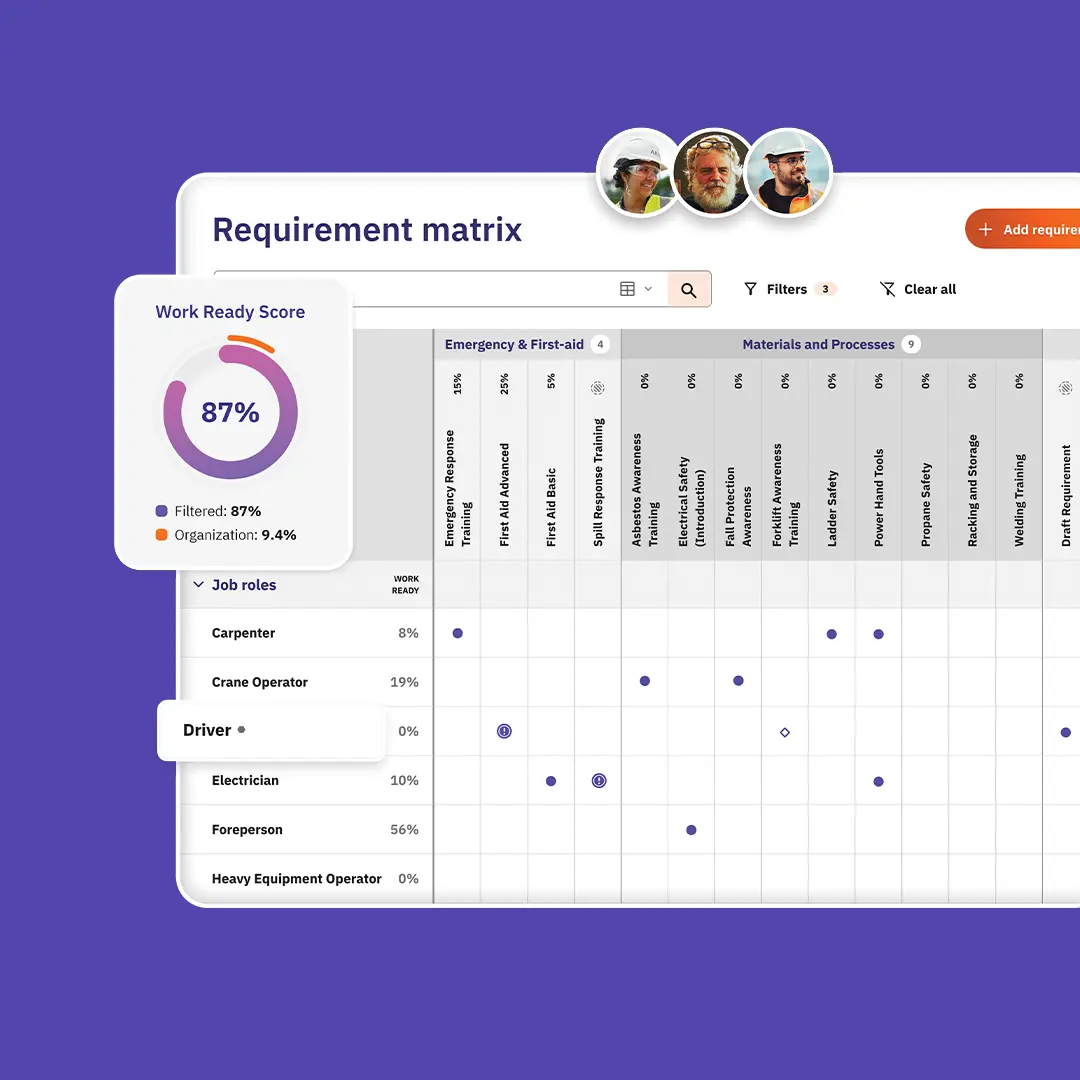
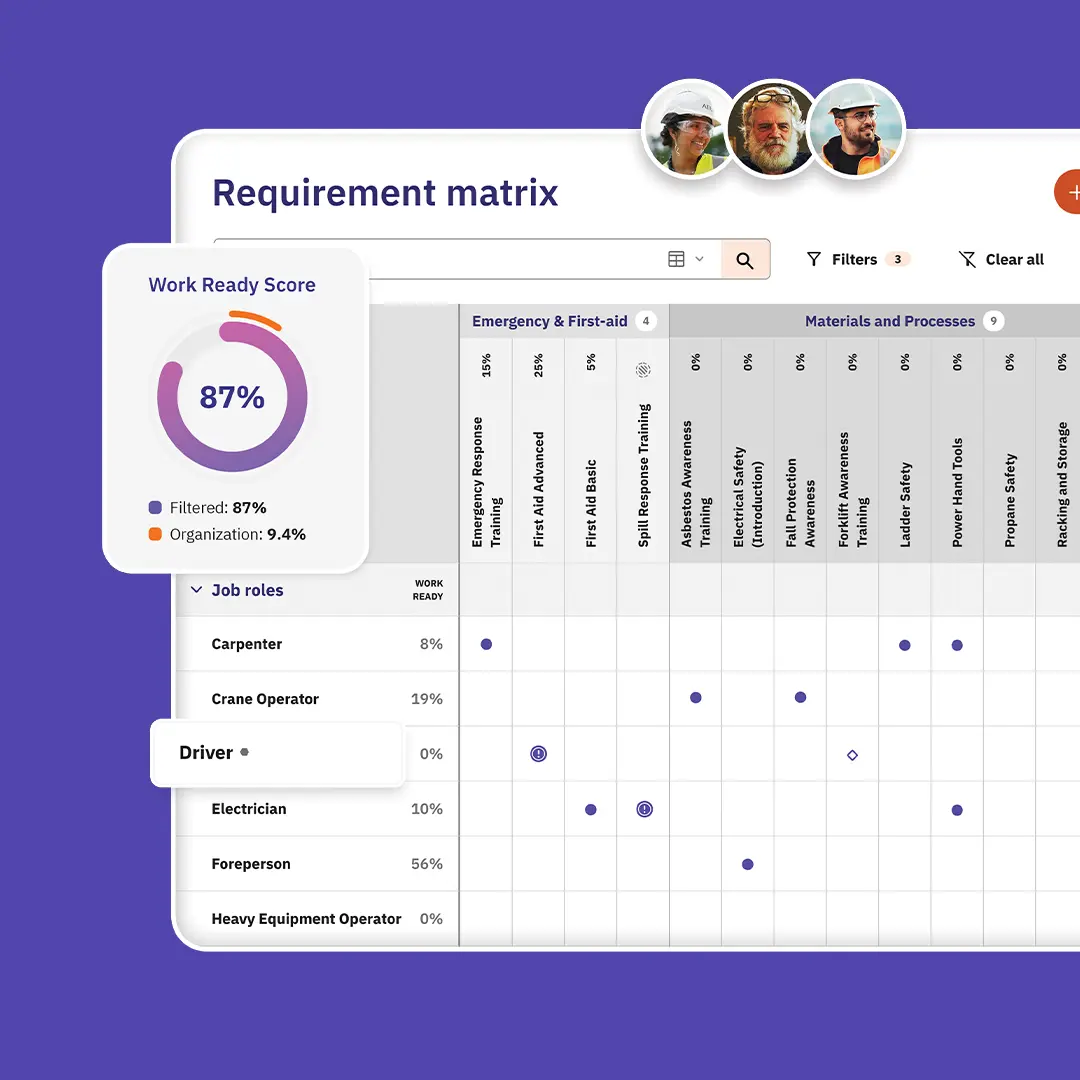
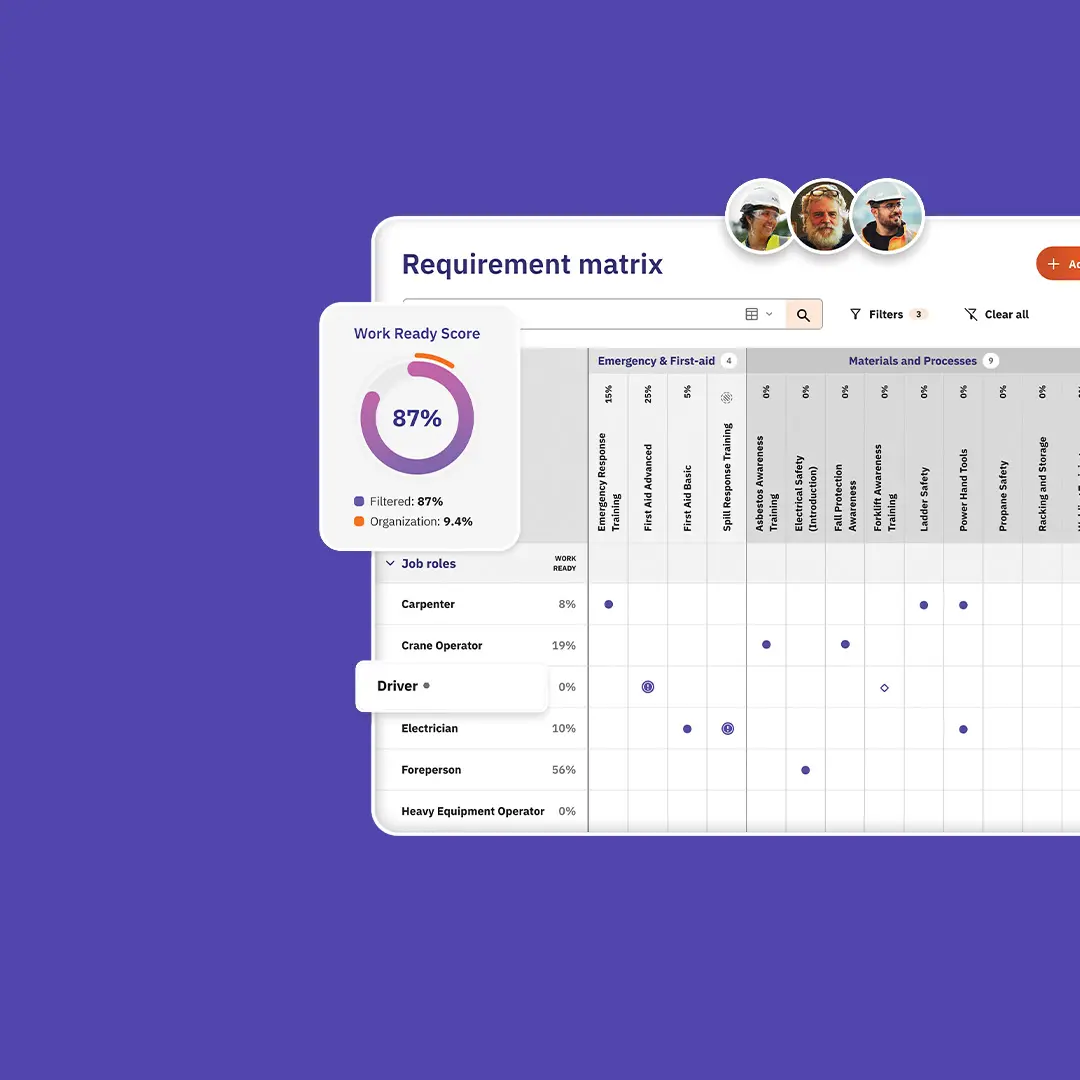
Know instantly who is cleared for work. The Training Matrix gives you real-time visibility into what training is assigned to whom and the Training Register highlights progress, expiry dates, and competency levels. Every worker gets an automated Work Ready score based on critical requirements, allowing team leaders or supervisors to catch safety and compliance gaps quickly before any work begins.

Learn more about training
Training lifecycle

Automated expiry dates and smart renewals

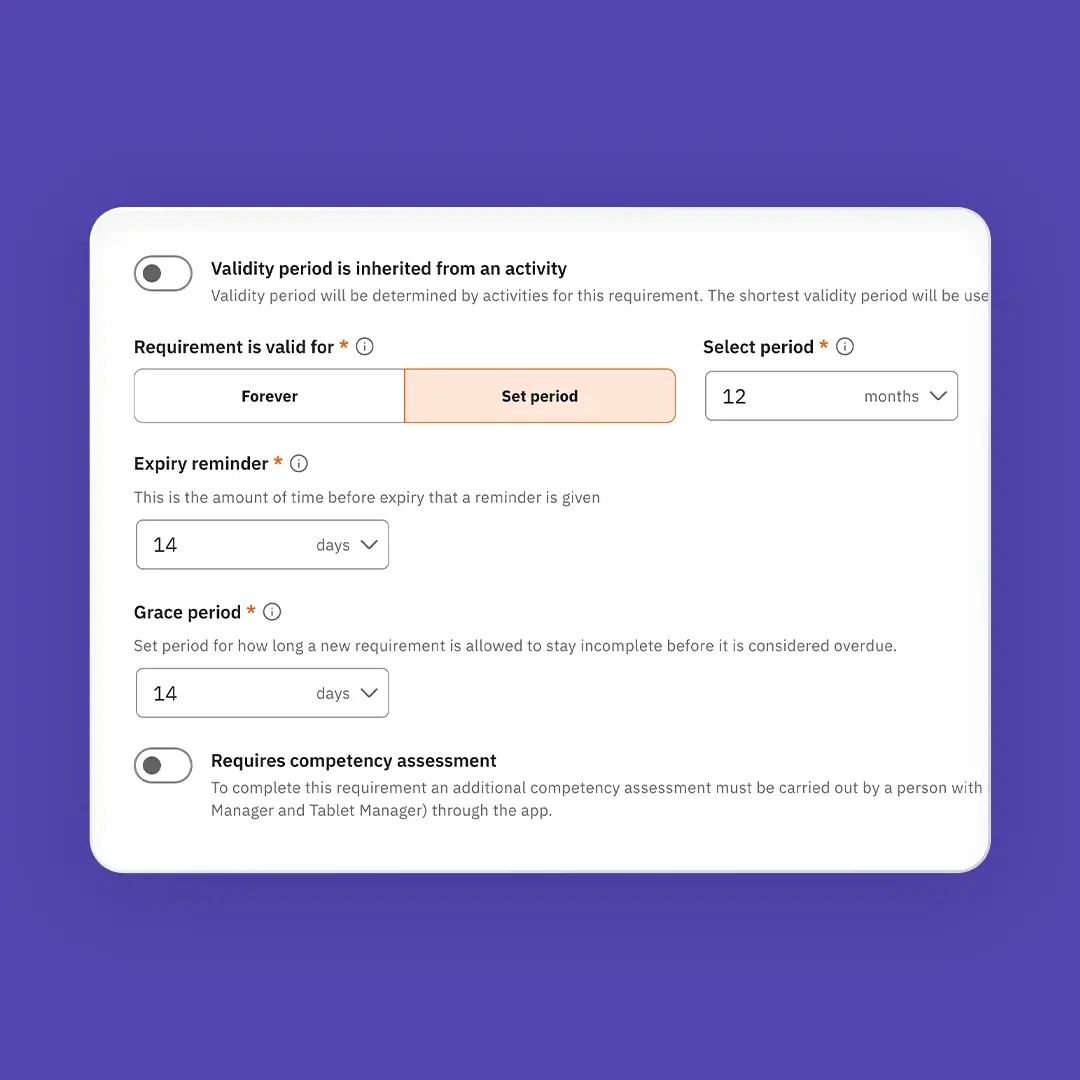
Prevent expired qualifications from stalling work. Set expiry rules on a fixed schedule, to never expire or expire based on the evidence provided, such as the date on a certificate. Automatically send renewal email reminders to go out before anything lapses, giving the team time to book any external training. Existing valid proof carries forward seamlessly, so workers only refresh what has changed or expired. Keeping your team off desk duty and on the tools.

Learn more about training
Worker focused training app

Worker and mobile-first training operations

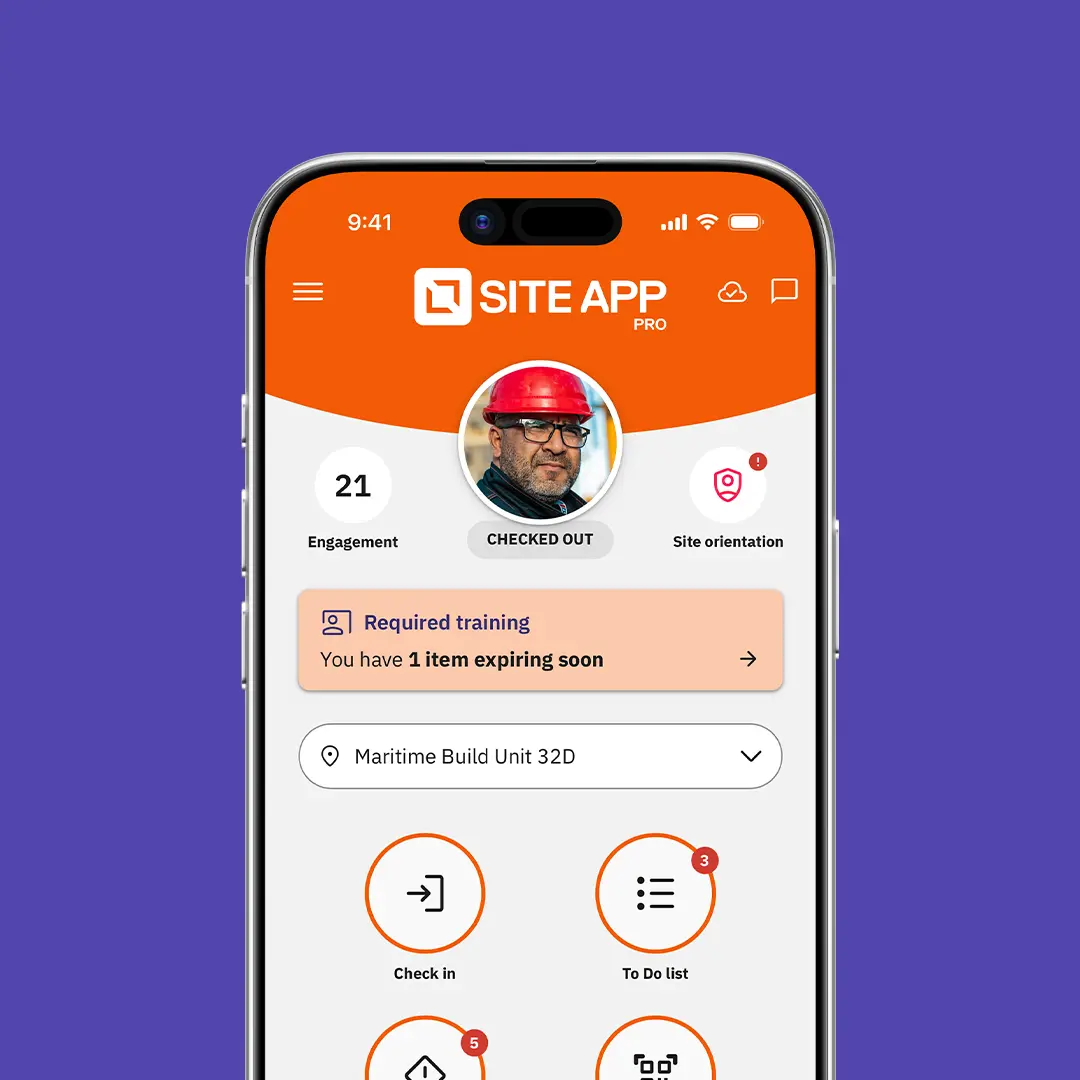
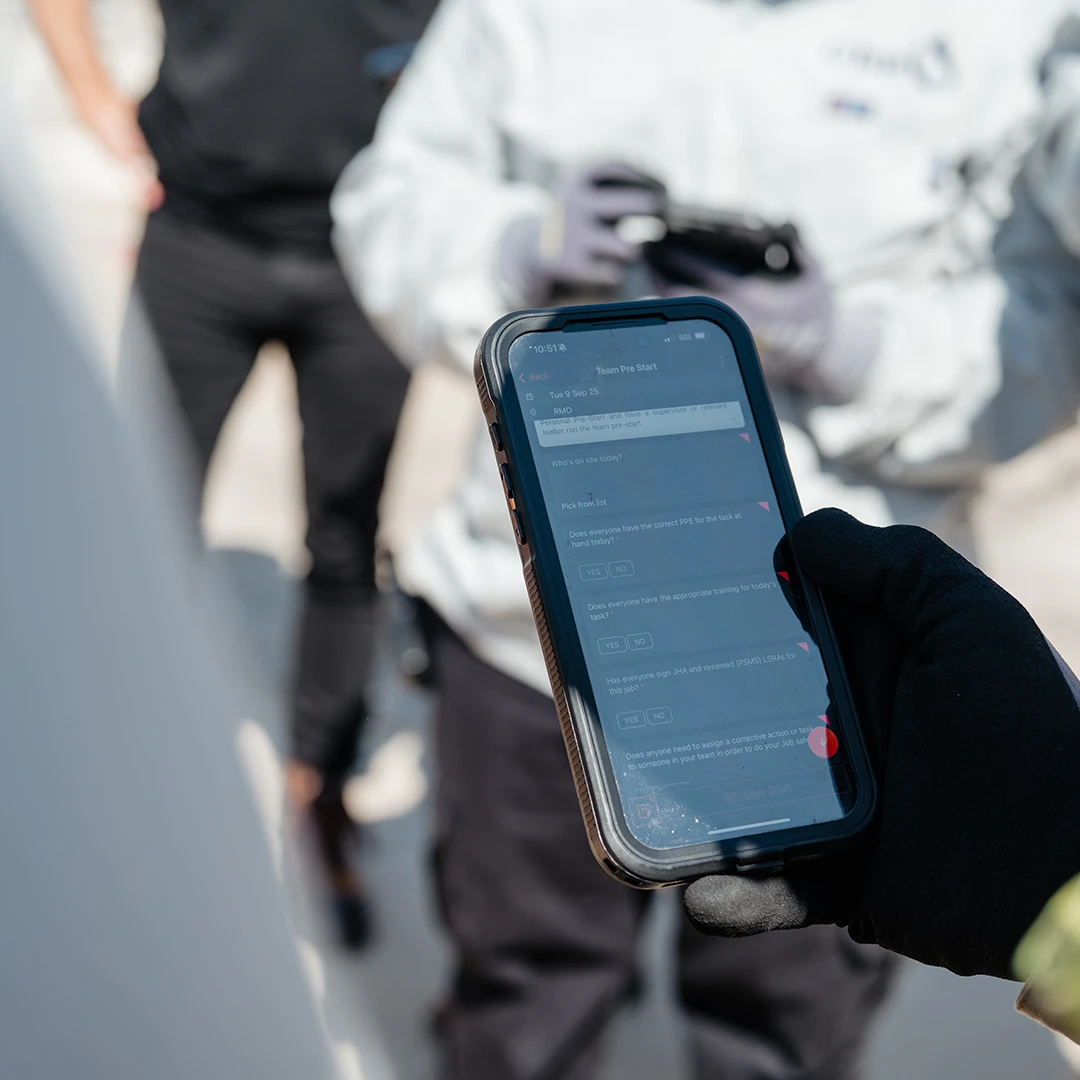
Workers can view resources, pass quizzes, sign policies, complete training, and upload certificates directly from their mobile app. In-app banners alert workers to what is still outstanding, and if evidence is rejected, they are shown exactly how to fix it. Supervisors can perform spot checks by reviewing a worker’s training, record activities and competency assessments. Logging in-person attendance has gotten easier, supervisors can now record presence for up to 50 workers at once - eliminating paperwork after training sessions.

Learn more about training
Training beyond the app

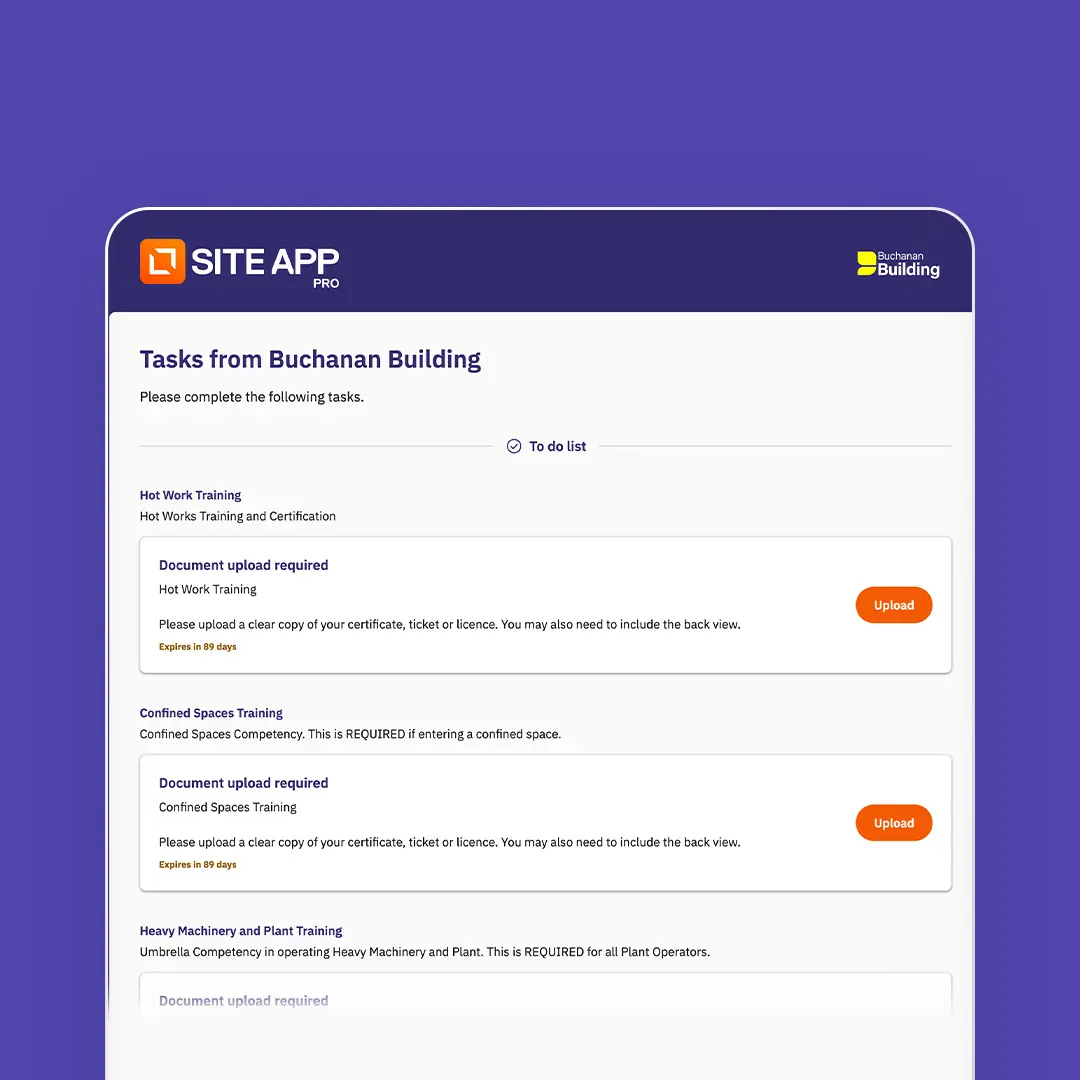
Frictionless subcontractor and casual worker access

Not everyone at work uses the app every day, you can train subcontractors and casual workers without creating logins or app downloads. Send secure 90-day email links that group requirements and their quizzes, instructions, booking links and due dates to complete. If proof is rejected, automated triggers let them follow-up and fix issues independently. Or, if a quiz is failed, the worker can retest once the stand-down period ends, without anyone sending a new request.

Learn more about training
Training reporting

Instant audit report and multi-site controls

Provide instant compliance evidence to auditors, clients, or main contractors in seconds. Export complete individual records for spot checks or summarised records for your team through PDF and Excel, print it or keep digital where secure links to original proof can be retained. Above that group admins can manage, assign requirements, and monitor compliance across each company or business unit from a single dashboard.

Learn more about training
Import of training records

Rapid training importing with Site App AI

The question on every site is simple: is this person cleared to do this job? Switching systems or getting rid of Excel shouldn't mean starting from scratch. Either bring across your training plans and requirements or import your existing training records and let Site App AI create the requirements. This can be a spreadsheet or an export from your current training software, and Site App AI does its best to automatically match them to your people, job roles and requirements, complete with picking up dates for expiration and completion. Got a folder full of certificates? Follow the import process and Site App AI helps match each one to the right person, ready for approval.

Learn more about training

See how other safety professionals manage training

We’ve moved from a paper based health and safety system to digital, and it’s made everything so much more efficient. Even team members who were nervous about going digital have taken to it so easily. The system is simple to use, even for dinosaurs like me!

The support team have been amazing, always ready to help, answer questions and offer advice. They’ve made the change so much easier. Very happy with the system and would definitely recommend it.

Donna

Matassa Property Services

We’ve had a great experience with Site App Pro. Luke has been incredibly helpful throughout the onboarding process and really knows how to tailor the forms and features to suit our day to day needs. The platform itself is adaptable, user friendly and makes it much easier for staff to actively participate in health and safety. Highly recommend!

Erin

Really easy to use & convenient for multi-location businesses. The form builder is super flexible & handy! Customer service is always fast & excellent too

Zoe

We have been using Site App Pro for the last year now and have found the app to be great. With the easy app layout we have found that staff on the frontline have been more engaged and open to filling out the required daily forms. The support has been amazing and it helps to have locally based support on hand. We look forward to unleashing the apps full potential across both our organizations.

Geoff Vilabourouth

Contrax

Integrating Site App Pro allows us to offer more timely support to our clients through real time reporting. This partnership enables us to add significant value to our service.

Sara Crawford

Safewise

Home safe and well is at the heart of how we operate, and Site App Pro has been a game-changer in embedding safety into our daily work.The offline functionality is essential for our remote sites, ensuring nothing gets missed. Custom checklists and real-time dashboards give us full visibility across the scheme. The system is easy to use, making safety compliance seamless for our team. It’s a smart, long-term investment in the wellbeing of our people and the success of our operations.

Mark McKenzie

Central Plains Water

Our clients’ success is the foundation of our own. Having Site App Pro on board to help deliver effective systems that truly work for our clients is always a win in my book.

James Bamford

SafeSpace

What used to take six months to get running effectively now takes one week. And that’s no exaggeration.

Graham Mahuika

Intesafety

Such an easy to use app! The guys on site are using it and have come back with very little complaints about it. Being able to easily edit forms is such a game changer! Would recommend to others.

Victoria

We’ve had an outstanding experience with Site App Pro. Their customer service team consistently delivers above and beyond, with fast responses, practical solutions, and genuine care for our business. The platform itself is easy to use, reliable, alongside continuous platform enhancements, and collectively has made a huge difference to how we manage Health & Safety with our team and across multiple sites. We Highly recommend Site App Pro to any business looking for a system backed by a team that truly supports you.

Paula Hakaraia

Pacific Portable Buildings

Site App Pro has been easy to use and the fact of being able to customize the content to best suit our team requirements is amazing great service definitely recommend to all businesses from one man operations to large commercial companies.

Sam Shepherd

Rock Solid Workx

All the training features you need

Manage every worker’s training, certifications and licenses in their individual worker profile.

Safety quizzes

Test worker comprehension of site policies and operating manuals.

Training forms

Log skill development or operational site checklists.

Training tasks

Build, assign, and track targeted safety modules for teams.

Individual worker profile

An individual's full history of safety activity and credentials.

Resource library

House critical standard operating procedures and safety documentation for reference.

Expiry tracking

Trigger automated alerts before licenses, permits or certifications lapse.

Certificate and permit management

Store individual credentials alongside site-specific approvals.

Training matrix

Map training requirements across roles to spot competency and training gaps.

Training register

Switch between matrix grids and records to identify missing certifications, upcoming expiries, or skill gaps.

External portal

Enable non-app users and subcontractors to submit verified compliance documents.

Work-ready score

Benchmark worker readiness instantly and spot non-compliance gaps before they turn into risks.

Job roles

Group workers by role to deploy relevant compliance requirements automatically.

User groups

A collection of workers brought together by shared operational duties, special certifications, projects, or shift teams.

Approvals

Send completed forms to management for mandatory sign-off.

Exempt people

You can exempt people from the training requirement or complete on their behalf.

Competency record

Centralise verified employee skills and operating licenses in one location.

Training report exports

Export filtered training views directly to a spreadsheet or PDF with digital verification links.

Site supervisor in a hard hat using a tablet above a busy construction site

Health and safety management software for small to enterprise New Zealand companies.

  • Offline functionality
  • Free onboarding
  • Localised support
  • Real-time dashboard
  • Safety mobile app
Book a demo

Explore more features

Two construction workers in orange hi-vis and hard hats completing a site form outdoors

Site safety

Site safety
Gloved hand holding a phone with a safety form open, workers blurred behind

Site App AI

Site App AI
Worker in a hi-vis vest completing a safety form on a phone

Forms and processes

Forms and processes

FAQS

The Training Management Module brings training, certificates, policies and competency assessments together in one place. You set what each person needs to know, do or provide, assign it to the right people, and see at a glance who is ready for work.

‍

Almost anything your team needs to complete. Each requirement can combine online quizzes, forms, policy sign-offs, document reviews, classroom sessions, external courses and uploaded certificates. If someone already holds a valid certificate, that alone can satisfy the requirement.

‍

Assign requirements by job role, user group, supplier or individual, and mark each as critical, required or optional. When someone changes role or joins a team, their training follows them automatically.

‍

The Training Matrix shows who has been assigned what, and the Training Register shows everyone's progress, expiry dates and competency. Each person also has a Work Ready score, so you can spot gaps before they become a problem on site.

‍

You choose whether a requirement expires on a fixed schedule, never expires, or expires based on the evidence provided. Reminders go out before the expiry date. At renewal, anything still valid carries over, so people only redo what actually needs refreshing.

‍

Yes, staff can read resources, sign policies, take quizzes, complete forms and upload certificates in the mobile app. Supervisors can also record in-person training and competency assessments for their team on the spot, for up to 50 people at a time.

‍

Yes, eligible people receive an email with a secure training link that lasts 90 days. They see all their outstanding training in one place, with no account or app to set up.

‍

Yes, import existing training records from a spreadsheet, such as an export from your LMS, and they're matched to your people and requirements. You can also bulk upload certificates, with AI helping to match each one to the right person.

‍

Yes, every person has a complete training record covering requirements, certificates, forms, quizzes and tasks. You can print it, save it as a PDF, email it or export it to Excel, and the PDF includes secure links to the supporting evidence.

‍

Yes, using Site App Pro’s Training Management Module is an additional cost per pack. Please see our pricing page.

‍