Releases

Stay up to date with the latest and greatest news and features.

January 2026 Release

Version 4.4.0

AI Features

Smart Equipment Creation from Photos

Create equipment instantly using your mobile camera. Our AI automatically detects the make, model, and category, and uses your photo as the equipment image.

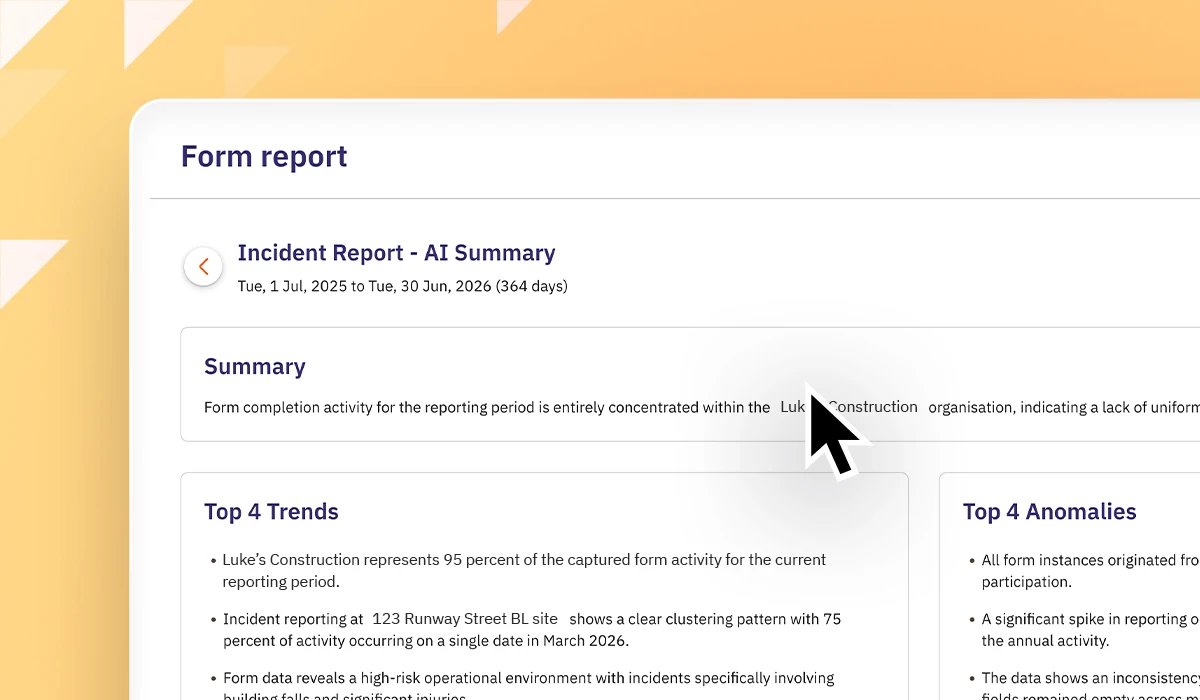
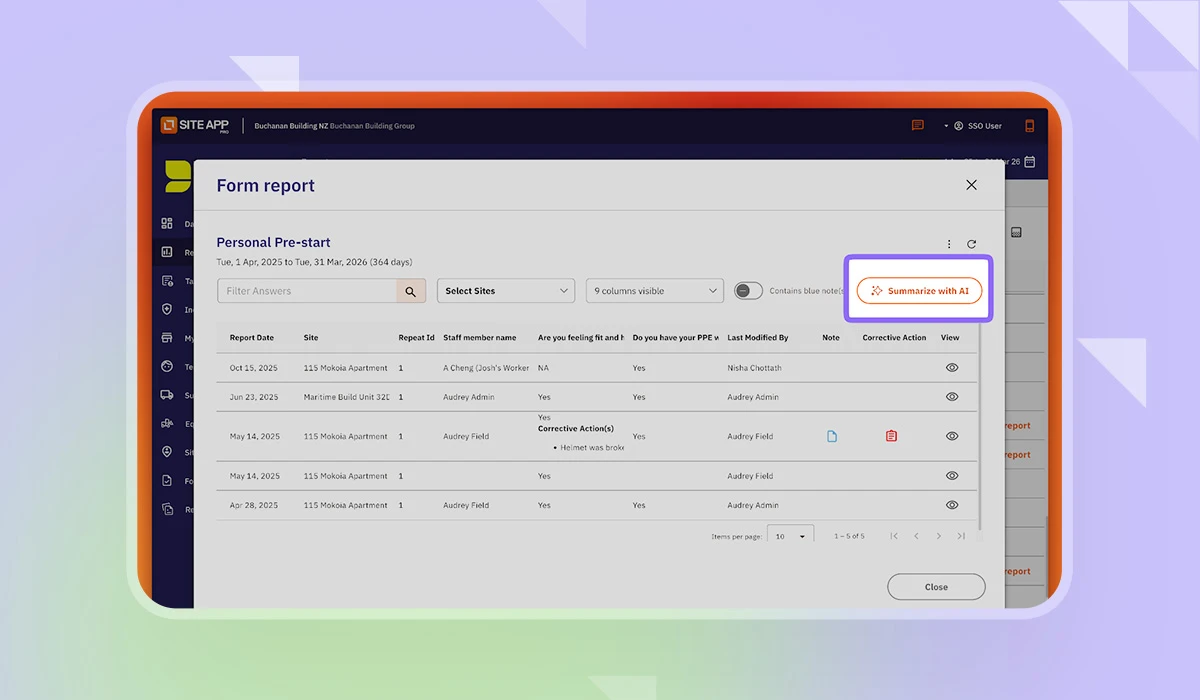
The Form Report popup now features a refreshed design and an AI summarization tool. Generate intelligent summaries and relevant graphs from your form data, which you can review, cross-check, and print.

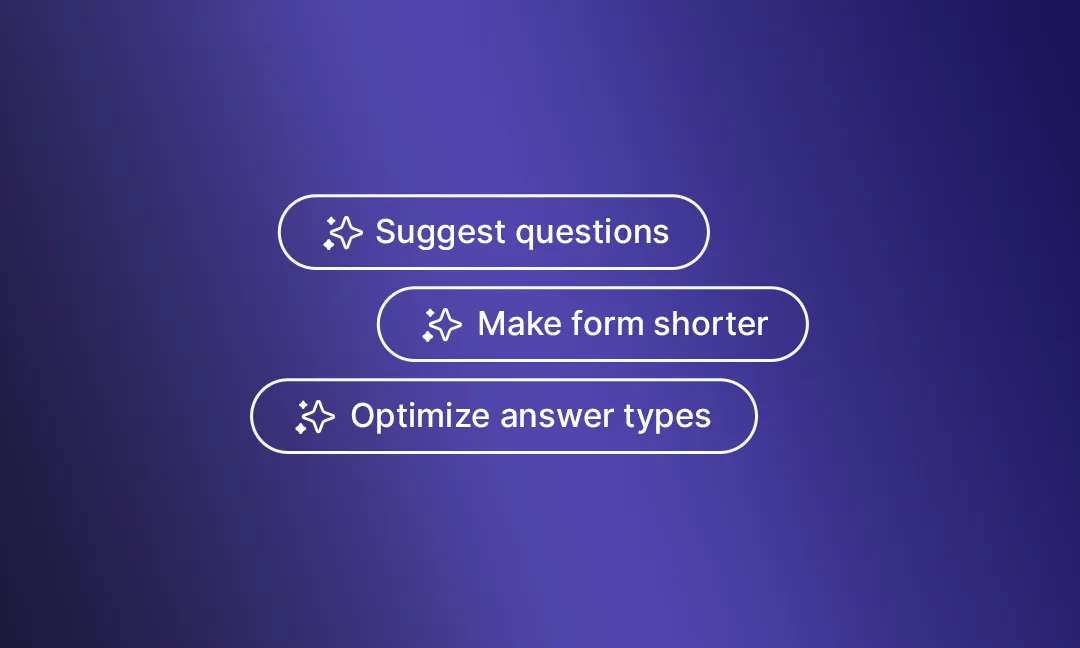
Form Builder AI Assistant

We've redesigned the Form Builder with a new AI Assistant that helps you:

  • Suggest and create questions from text prompts, images, or PDFs (Yes, really!! You can upload your PDFs and turn them into forms)
  • Improve existing forms
  • Get tips and instructions
  • Access relevant help content

The interface is now more spacious and intuitive, with a compact question type selector and expanded analytics panel.

Equipment Updates

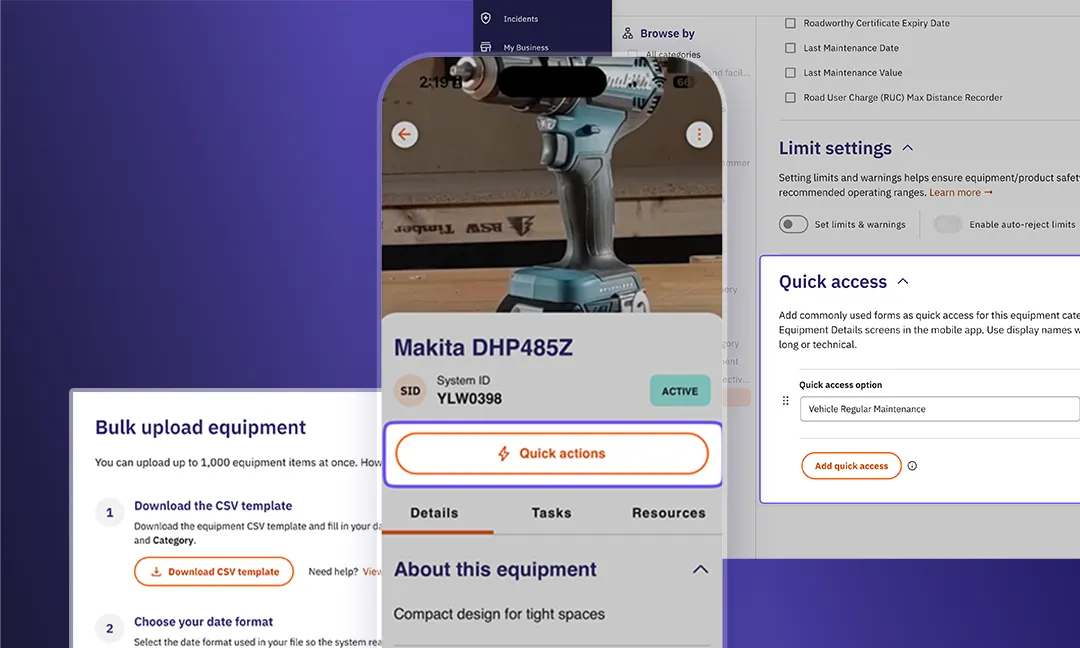
Quick Access Actions

Configure quick access actions for equipment categories, making it easy to launch specific forms directly from any equipment on mobile.

E.g. attach your Vehicle Pre-starts as Quick Access forms for your Vehicles category.

Completed Forms Tab

View all forms related to an equipment in one place. Forms are automatically linked when they reference the equipment, are started from the equipment page, or are part of an equipment task.

Enhanced Bulk Upload

Improved bulk upload experience with clearer instructions, customizable date formats for different regions, and better error messaging.

Bulk Actions

Perform actions on multiple equipment at once:

  • Create tasks
  • Move to new categories
  • Change status
  • Edit fields (status, primary ID, tags)
  • Revert to category settings
  • Delete

Additional Equipment Improvements

  • Select any date when answering Maintenance Value questions (previously limited to current date)
  • Smoother image scrolling on mobile
  • General UX/UI refinements across all equipment workflows
Task Updates

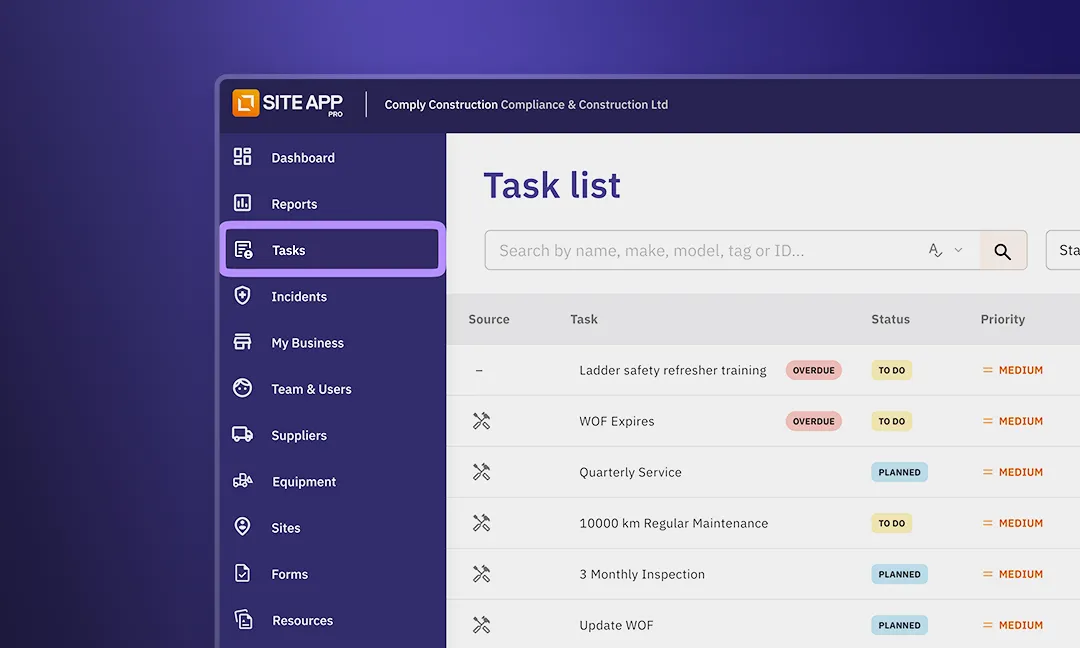
Tasks Menu

Tasks are now a top-level menu item in the web interface for easier access.

Training Tasks

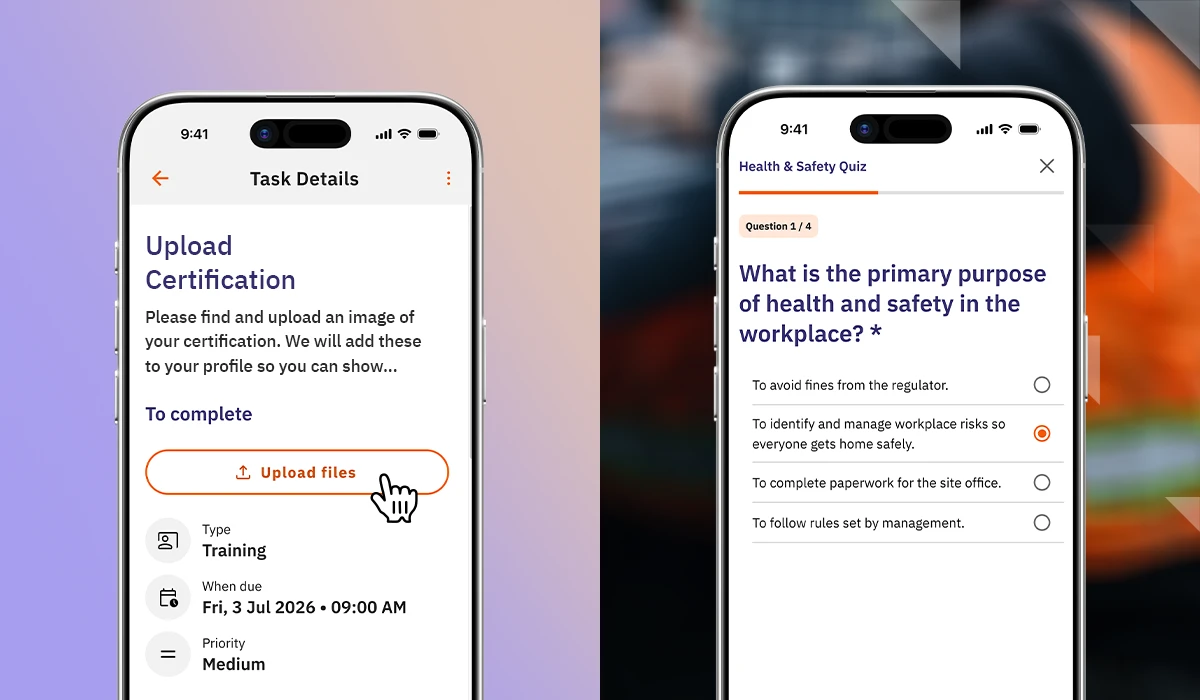
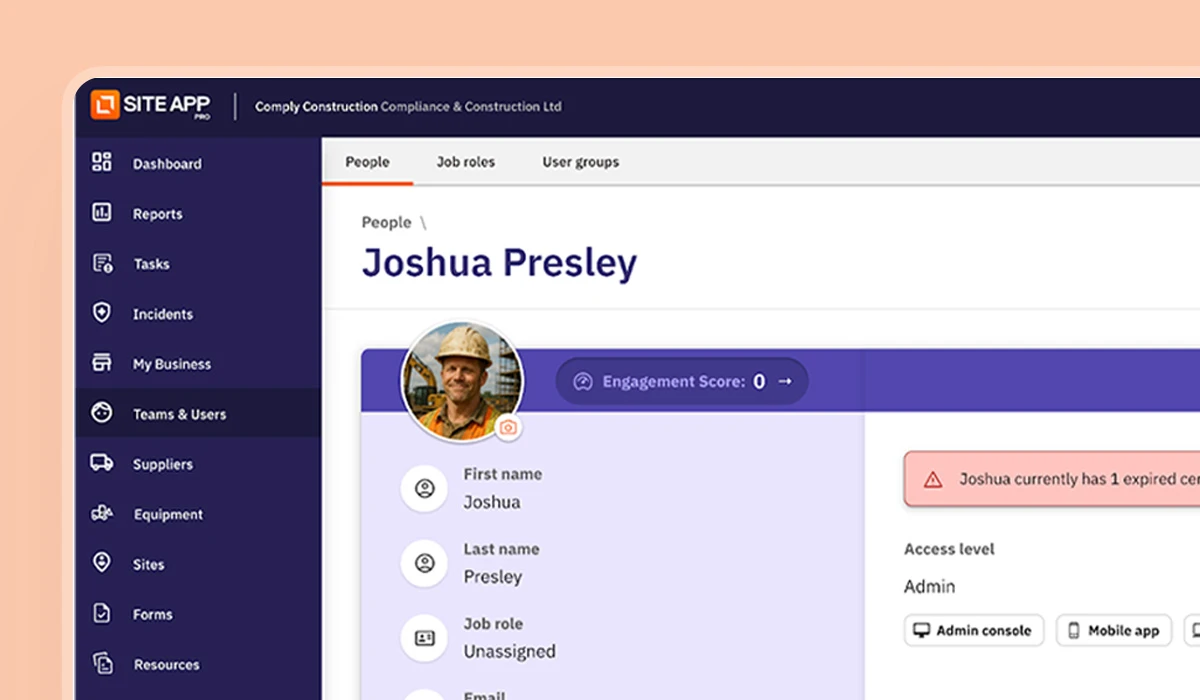
Create training tasks that automatically split into individual copies for each assignee. Perfect for recurring training with user groups—everyone gets their own task to complete.

Rolling Date Schedules

Schedule tasks based on equipment Last Maintenance Date or Registration Date. Tasks automatically adjust when these dates are updated.

Task Auto-Complete & Requirements

  • Auto-mark tasks complete when linked forms or resources are finished
  • Require forms/resources to be completed before marking tasks as done
  • See real-time status updates when forms are started or completed

Task Schedule Simulation

Preview when scheduled tasks will be due based on your settings, making schedule creation easier and more accurate.

Bulk Task Actions

  • Change status for multiple tasks
  • Delete multiple tasks at once

Additional Task Improvements

  • Simplified mobile task creation flow (toggle between simplified and guided modes)
  • Task color customization
  • Visual and audio feedback on mobile completion
  • Smart assignee suggestions
  • Better task sorting to prioritize relevant tasks
  • Duplicate planned tasks
  • Edit equipment on existing tasks
  • Improved task cards showing linked entities

More Updates

‍Procore Integration

Complete integration overhaul with improved speed and reliability:

  • Option to control user syncing from Procore
  • Choose from 5 folder structure options for completed forms
  • Better performance on the Integrations page
  • Fixed sync issues with sites and incident forms

Dashboard & Analytics

  • Alphabetical organization sorting login
  • Consistent graph colors across sessions and users
  • Uniform date formatting across the application
  • Form reports now print in landscape orientation

Performance Improvements

  • Significantly faster navigation through tasks and equipment in web admin
  • Improved staff training record loading
  • Up to 200x faster historical form fetching on mobile
  • Better performance with large datasets (suppliers, staff, incidents)
  • Optimized equipment and task screens

Other New Features

  • Enhanced search for and Hazards (handles typos and word order)
  • Include tasks when printing incident details
  • Use non-scheduled forms in tasks and quick actions
  • Consistent icons across web and mobile
  • Visitor Register QR codes for sites created via API/Zapier

Bug Fixes

  • Fixed Incident creation task issues
  • Corrected offline form completion from To Do list
  • Resolved CSV export filter application
  • Fixed 'year of manufacture' display on mobile
  • Improved sensor reassignment logging
  • Fixed form section deletion workflow
  • Corrected dashboard widget date handling
  • Fixed bulk user upload page hanging
  • Resolved rare form loading issues with large form libraries
  • Fixed required question validation in edge cases
  • Corrected sensor outage widget date range
  • Fixed sensor outage email timezones

View Full Release Notes

August 2025 Release

Version 4.2.0

Take control of your equipment with Site App Pro’s powerful new Equipment Management tools. Our latest update introduces a smarter, more connected way to manage the equipment that keeps your business moving. With digital records, QR code tagging, and live tracking from the field, your team will always know what’s safe, what’s serviced, and what’s ready to use.

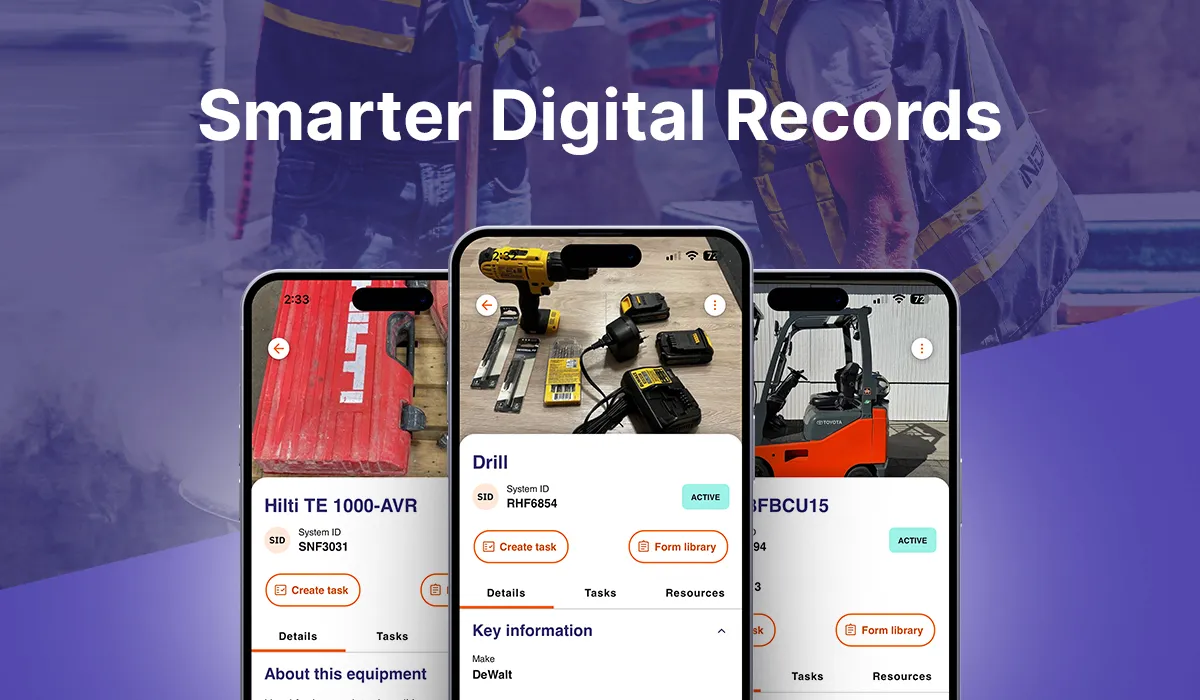
Three smartphones displaying a digital equipment management app with images and details of tools and machinery under the heading Smarter Digital Records.

Smarter Digital Records & Organisation

Every item now has a digital record. Whether you’re managing tools, vehicles, or heavy machinery, our new Equipment Register makes it easy to structure, sort, and access everything from one place.

You'll be able to:

  • Create detailed equipment profiles to store manuals, SOPs, service logs, certifications, images, and more.
  • Group equipment by category, sub-category, team, or site to create a structured register that mirrors how your business operates.
  • Define custom fields for equipment, categories, or sub-categories to capture the specific data your organisation needs.
  • Use multiple register views to quickly find what you’re looking for or update settings with ease.
  • Track last-known location automatically based on form submissions or QR scans, helping teams locate equipment across multiple sites.
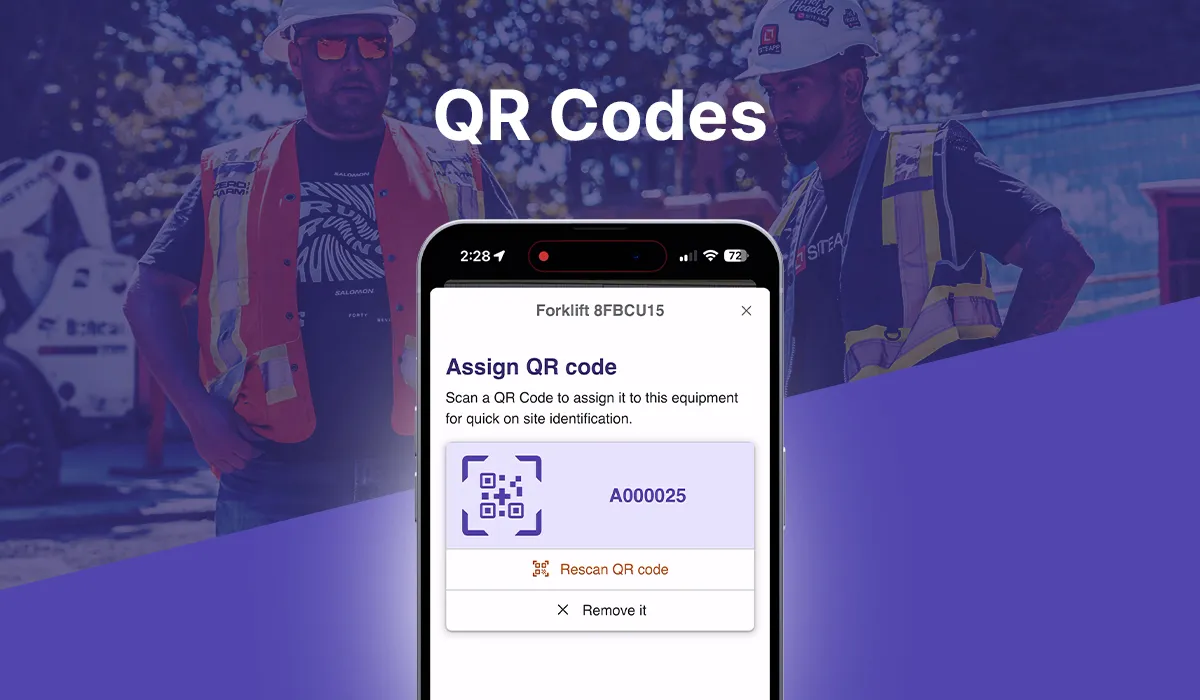
Smartphone screen showing a QR code assignment interface for forklift 8FBCU15 with the code A000025, and two workers wearing safety gear in the background.

QR Code Tagging & Field Access

Give your team instant access to equipment records in the field. With unique QR code tags, users can scan and interact with equipment directly, improving traceability, safety, and day-to-day efficiency.

You'll be able to:

  • Attach QR codes to each item for instant identification and access from the mobile app.
  • Scan to view service and maintenance history equipment details, certifications, and manuals.
  • Access and complete pre-use forms directly from the equipment profile ensuring checks are linked to the correct item.
  • Flag issues or log maintenance directly from the field, keeping records up to date without returning to the office.
  • Easily distinguish similar equipment using unique QR code profiles, reducing confusion across teams.

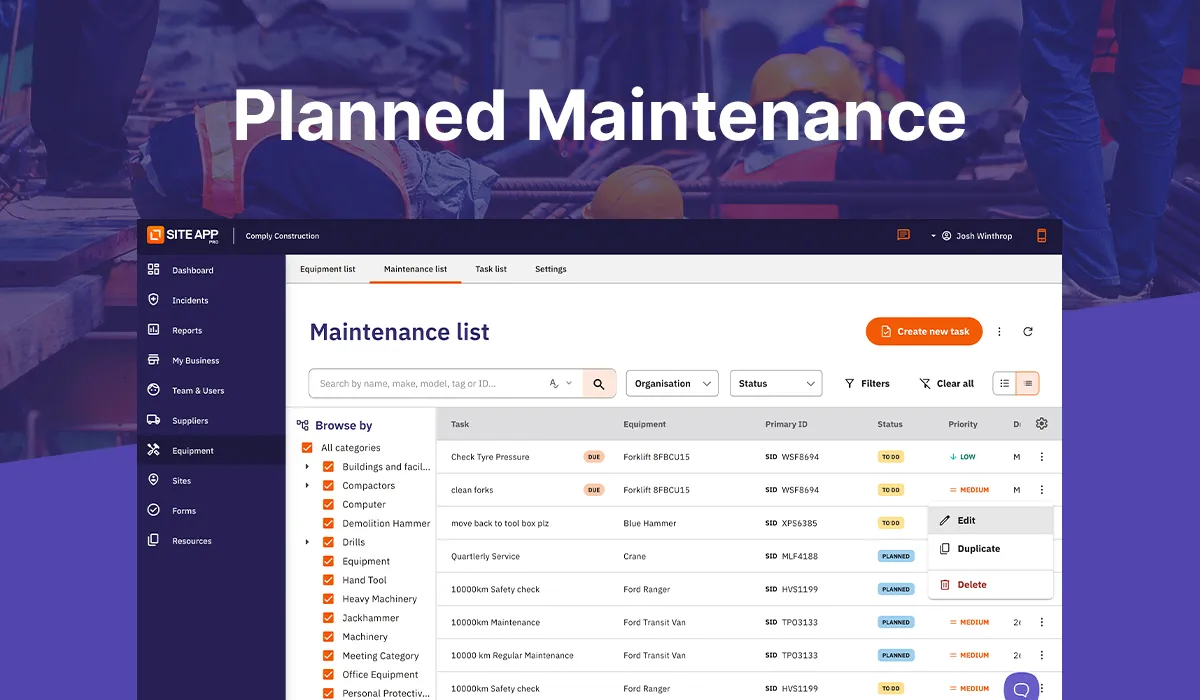
Site App Pro maintenance list dashboard showing tasks, equipment, status, and priority with a large header reading Planned Maintenance.

Planned Maintenance & Task Management

Maintenance planning is now built into your workflow. From recurring schedules to one-off repairs, you can assign, track, and complete tasks with full visibility across teams and equipment.

You'll be able to:

  • Set recurring maintenance schedules for equipment types or individual items to ensure servicing happens on time.
  • Receive automatic reminders for upcoming inspections or service deadlines so you never miss a due date.
  • Link inspection or service forms directly to equipment items for consistent record-keeping.
  • Create and assign tasks related to inspections, servicing, or repairs, with clear priorities and linked documentation.
  • Track task progress across teams with automatic updates and completion records for total visibility.

Text 'Audit Readiness' above an icon of a person wearing a hard hat with two gear icons.

Visibility, Reporting & Audit Readiness

From field teams to management, everyone gets access to the right data when they need it. Whether you’re preparing for an audit or reviewing compliance across sites, all your equipment data is structured, traceable, and ready to go.

You'll be able to:

  • Filter equipment by site, status, upcoming maintenance, or compliance requirements for clear oversight.
  • Export service history, task records, and compliance data to share with auditors, clients, or internal teams.
  • Track registrations, certifications, and licenses within equipment profiles and receive reminders before they expire.
  • Maintain full audit trails with time-stamped logs of inspections, maintenance, and updates linked to each item.

Icon of a form with bullet points and a plus sign inside a rounded square with gradient border, labeled AI Form Creation on purple background.

Faster Form Creation

Our web Form Builder can now suggest relevant questions for you. Based on your forms name, category, and your organisation’s location, the AI Form Builder helps you create forms faster and with more consistency.

You'll be able to:

  • Edit and customise generated questions to match your specific requirements or formatting preferences.
  • Save time on form creation by starting with AI-powered drafts rather than building each field from scratch.
  • Create more consistent and compliant forms by using AI as a guide to structure questions, checklists, and response types.

View Full Release Notes