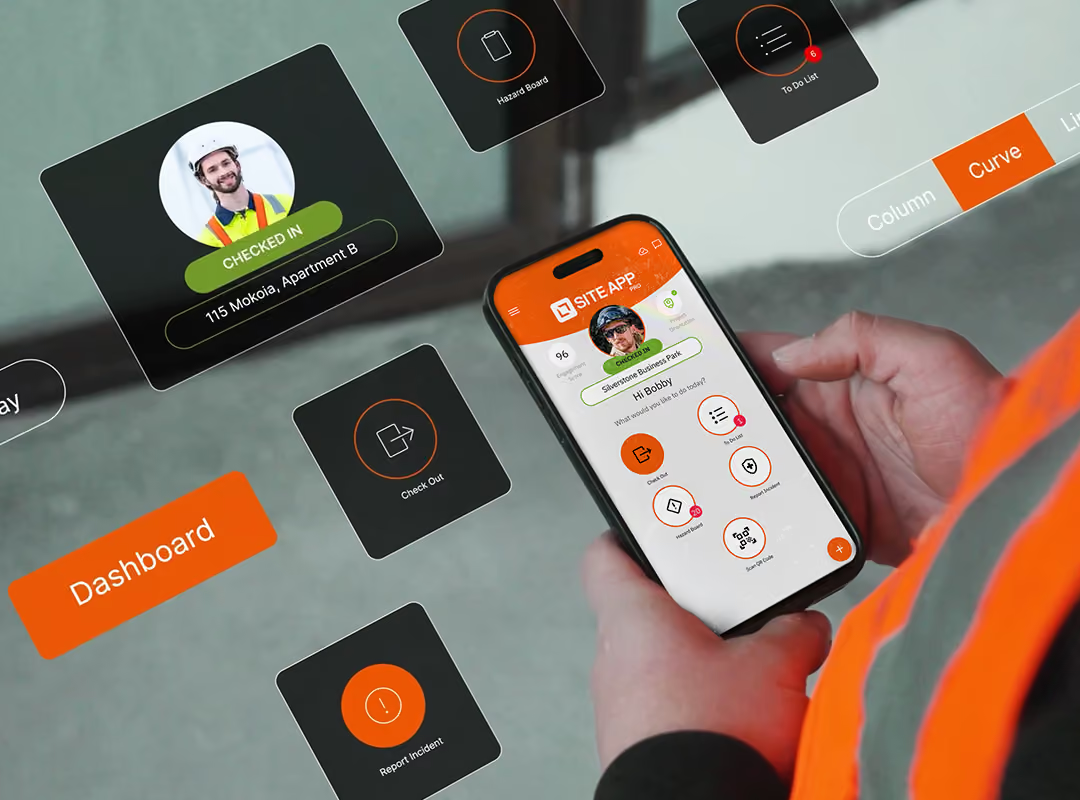
Download the Site App Pro app

Get Site App Pro on your mobile phone or tablet in a few steps. The app is free to download from the App Store or Google Play.

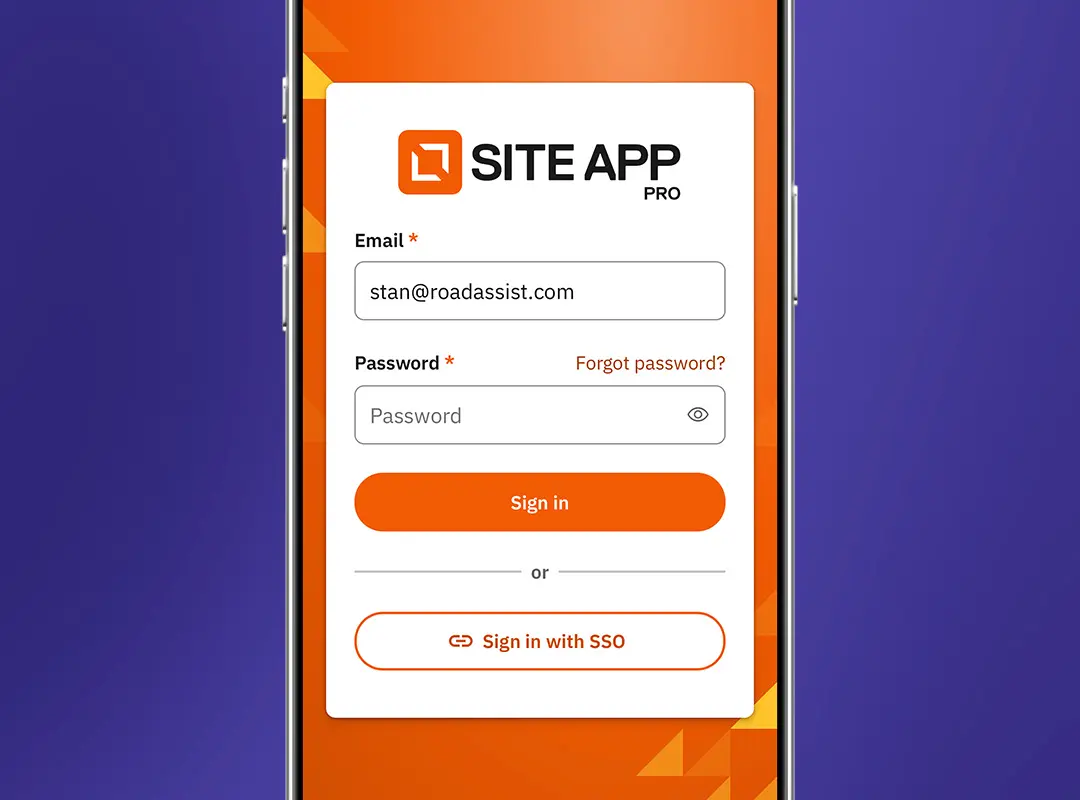
Once it's installed, sign in with the work email your company used to set you up.

Download on app store badgeDownload on Google Play store badge
Trusted by 380,000+ jobsites
Trusted by 1,200+ companies and used on 300,000+ projects.
Two phones showing a QR code and a digital form above an earthworks site

How do I download the Site App Pro app?

App store / Google play store

Open the App Store on an iPhone or iPad, or Google Play on an Android device. Search for Site App Pro and check the developer is ComplyPro Limited. Tap Get or Install, open the app, then sign in with the email and password from your Site App Pro admin. You need iOS 16 or Android 8.1 or later.

Step by step

ios

Download Site App Pro on iPhone or iPad

  1. Open the App Store on your iPhone or iPad.
    ‍
  2. Tap Search and type Site App Pro.
    ‍
  3. Find Site App Pro by ComplyPro Limited, then tap Get. Confirm with Face ID, Touch ID, or your Apple Account password.
    ‍
  4. Tap Open when the app has installed.
    ‍
  5. Sign in with your work email and the password your admin gave you.
    ‍

Can't install it? Check your device runs iOS 16 or later. You'll find your version in Settings > General > About.

Download on the App Store
android

Download Site App Pro on Android

  1. Open Google Play on your Android mobile phone or tablet.
    ‍
  2. Tap the search bar and type Site App Pro.
    ‍
  3. Find Site App Pro by ComplyPro Limited, then tap Install.
    ‍
  4. Tap Open when the app has installed.
    ‍
  5. Sign in with your work email and the password your admin gave you.
    ‍

Can't install it? Check your device runs Android 8.1 or later. On most devices you'll find this in Settings > About phone > Android version.
Download on the Google Play Store
Get started

Sign in for the first time

Your login comes from your company, not from the app store. Your Site App Pro admin adds you as a user, then you sign in with that email address and password.
‍

  • No login yet? Ask your superintendent or the person who manages safety at your company to add you as a user in the admin console.
    ‍
  • Forgot your password? Ask your admin to reset it for you.
    ‍
  • Work for more than one company? Subcontractors can use one email address across several Site App Pro accounts.
Learn more
What can it do?

What you can do in the app

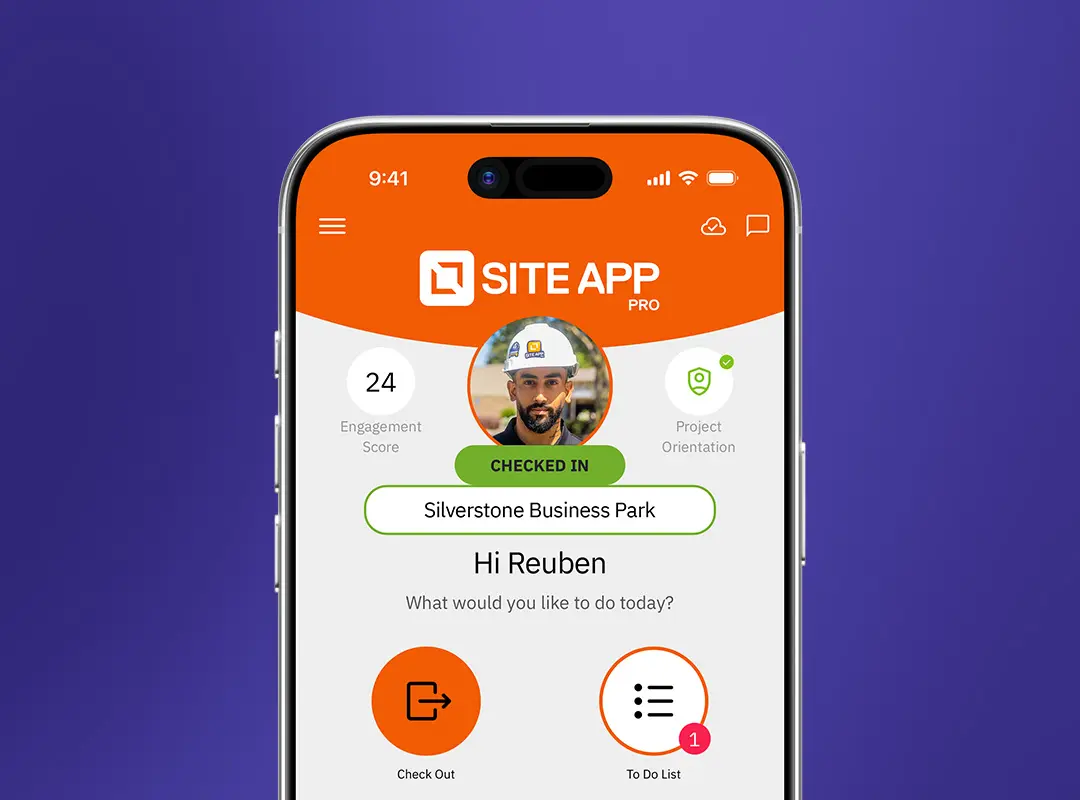
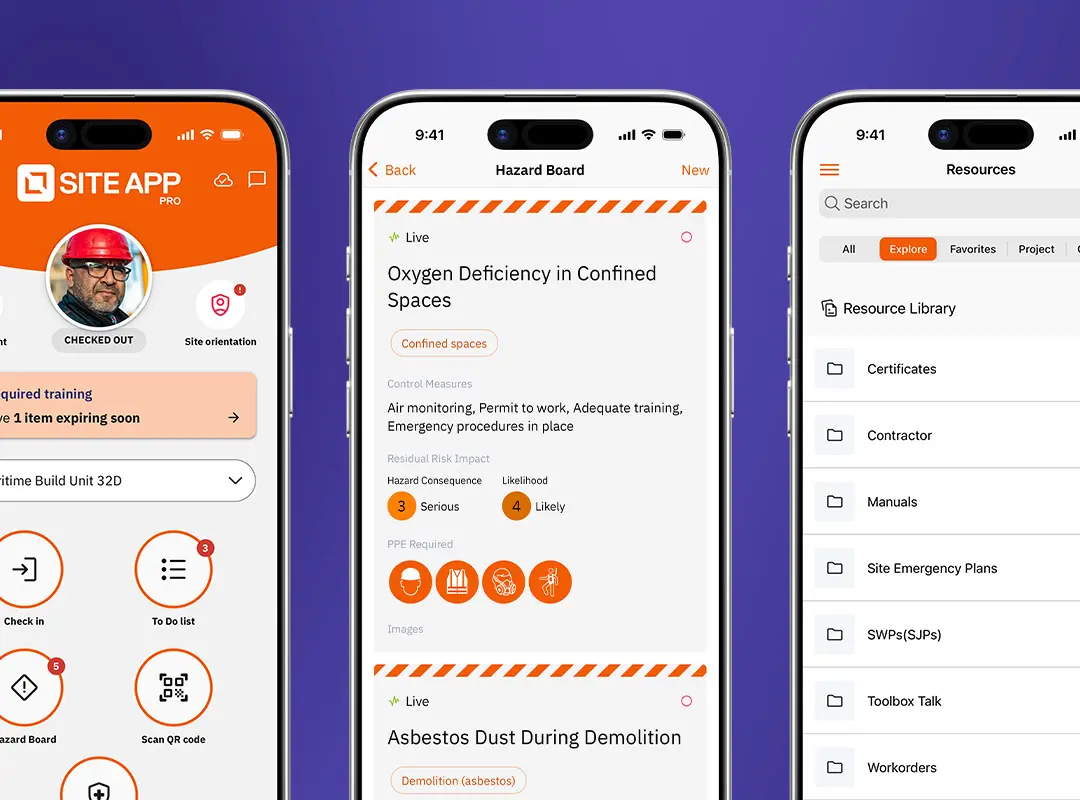
Once you're signed in, everything for your day on the jobsite sits on the home screen.
‍

  • Check in to your jobsite and complete your site orientation.
    ‍
  • See the hazard board and acknowledge new hazards.
    ‍
  • Report an incident or near miss as it happens.
    ‍
  • Fill in JHAs, toolbox talks, and inspections.
    ‍
  • Keep your OSHA 10 and 30 cards, licenses and certifications on your profile.
    ‍
  • Fill in forms with no cell service, then send them when you're back in service.
    ‍

Some features depend on your company's plan.

Learn more about our features
visitors

Visiting a jobsite? You don't need the app

Visitors and subcontractors checking in at a jobsite can scan the QR code at the entrance. The check-in form opens on their phone, so there's nothing to download.

Learn more about QR code sign-ins
Technician soldering components on an electronic training rig
sign up today

Set up Site App Pro for your company

The app is for your crew in the field. Admins set up sites, users, and forms in the admin console on a computer. If your company doesn't use Site App Pro yet, start a free 14-day trial and our support team will help you get set up.

Start you free trial today

Frequently Asked Questions

The app is free to download from the App Store and Google Play. To use it, your company needs a Site App Pro account and your admin needs to add you as a user.

Site App Pro works on iPhone and iPad running iOS 16 or later, and on Android phones and tablets running Android 8.1 or later.

Search for the full name, Site App Pro, and look for the developer ComplyPro Limited. If it still doesn't show, check your device version. Work devices managed by your IT team can also block new apps, so ask them to approve it.

Check you're using the email address your company set you up with. If it still doesn't work, ask your admin to check your user details or reset your password.

Yes. You can fill in forms with no cell service and they'll send when you're back in service.

Most setup happens in the admin console on a computer. Some user roles can also add sites and users from the app. Your admin can tell you what your role can do.

Start with your Site App Pro admin. For technical help, email our support team at support@siteapppro.com

Customer Testimonials

Overall, it’s been a helpful app for keeping everyone on the same page. It makes communication simpler and helps keep important safety and site information organized. It’s a useful tool to have for day-to-day work.

I like that Site App Pro keeps everything in one spot vs different safety platforms. It makes it easier to find site information, safety documents, and updates without having to chase people down or dig through emails. It’s also handy being able to access it from my phone or tablet.

Kessie Stevens

This app has really transformed the way our safety program fits into our complany culture; it's complaince made easy. Prior to using this app I lost so much time chasing down paperwork only to find that it was not done, half done or not signed off on properly by both staff and management; inspections were often incomplete or not handed in at all; and sometimes tracking onboarding, staff reviews and training certificates felt like a part time job. Now I have everything in once place, hazard inspections are completed with ease and reminders are automated so we dont miss a thing. Then to wrap it up in a bow, all of the records are easy to find when I need them to document complaince.

Kimberley Rourke

Josh, Reuben, and the entire team at SiteApp Pro have provided an excellent solution and have been incredibly helpful. They have significantly improved our visibility into safety programs across our multi-entity organization and helped us streamline how we manage safety across the organization. I highly recommend their team and platform!

Tineessa Nelson

Great Experience. Customer service is top-notch. Josh has been a great help getting started with the app, and Reuben is always quick to get back to me with any minor questions I have.

Site App Pro continually adds innovative features. I have confidence we will be using this at our company for the long term as they are always leading the way in this industry.

Duncan Raleigh

Kenalex

Ability to create and maintain custom forms. The AI feature makes building forms from a paper template super easy. I can build forms and works flows that match my program, rather than building my program around the system. Additionally, the Equipment module and QR codes has helped us get a handle on our fleet and made our mechanics lives easier. Great product, easy to use in both the field and the office. The team a Site App Pro is great too and are a great partner!

Jerome Harney

Weka

Great customer service, and the platform is very easy to use and customizable to any company-specific requirements. Easy for our site staff to use.

‍

Stephanie Clark

Ritestart Limited

The customer support, hands down. You get an actual person, fast, and they answer the question you asked. The AI support is the same way. It gives you a real, detailed answer instead of pointing you to a pre-written FAQ page, which is my biggest pet peeve with basically every other app out there. The AI form builder is great too, it's saved me a ton of time building out our forms. And they're constantly adding features and upgrading things. It never feels like a product that's just sitting there. Super user friendly, feels like it was built this decade.I manage HSE and admin across a couple of companies in BC and Alberta, so I've used a few of these platforms. Site App Pro is the one I wish I'd found first. I'm actually cancelling SiteDocs for my other company and moving everyone over to Site App Pro because it's that much easier to run day to day. My only regret is not going with them from the start, but what you don't know, you don't know. So here I am telling you: just do it.

Shawna Applejohn

Stone River Group & Envision Geo

The Site App Pro team was great on helping us get all of our information into the system. There were several phone calls and Teams calls that showed us how to do what we needed. It was easy to customize to our unique needs. Site App Pro reduced our manhours for looking at daily equipment inspections, equip. inspection, work area inspections and JSA dramatically. What used to take 30 to an hour is now taking 10-20 minutes for every employee. That really adds up.

LeRoy W

Piteau Associates Engineering

Site App Pro stands out for its user-friendly interface and powerful project management features. What I liked most was how it streamlines communication between office teams and field crews, keeping everyone updated in real time. The ability to capture site photos, complete digital forms, and track tasks from a mobile device significantly improves efficiency and accountability. The reporting tools are also excellent, making it easy to generate professional documentation and maintain compliance records. Overall, Site App Pro helps reduce paperwork, improve team collaboration, and keep projects organized, saving both time and effort while increasing productivity across construction and field operations.

John F

FCM Construction

Access to support when needed. Superior customer support. I found the workers and field staff enjoyed using Site App Pro as it was intuitive. I've always had good feedback from the field regarding how easy it is to use Site App Pro. The proof is in the pudding and seeing high engagement scores from the workers all the way to the top is a strong indicator of Site App Pro's effectiveness. From inception to rollout I found the team at Site App Pro did a great job ensuring everything went smoothly.

Jonathan U

Industra

The team behind the product have been amazing to deal with, Interface is very easy to use my crews been using it daily. I feel like its been worth every penny.

Mario Rapozo

PTR Paving

Just a fantastic group of professionals and go getters. They actually WANT your business. In a world where customer service has taken a sharp downturn, the culture here has managed to assemble a team that still believes in working for the customer.

Jeremy S

Mountain Peak Safety

We are also pleased to continue our collaboration with SiteApp. The implementation of their digital safety management platform has resulted in a seamless transition of our safety documentation processes, improving efficiency, compliance, and accessibility across the project. The SiteApp team has been a valuable partner in supporting our operational and safety objectives.

Alberto Robles

Frontier Group

Whether you are a small company trying to move away from paper binders, or a big GC that needs to control a large project, Site App Pro is a great choice because of features and price. The key difference is that you can configure Site App Pro to fit your needs, and not have to fit your process around the limitations of a generic safety software system.

Jerome Harney

L&S Construction

Utilizing Site App Pro for our client’s safety programs makes managing the safety program a breeze in terms of organization and ease of use. Site App Pro creates optimal communication between our clients and 1st Quality Safety.

Marlys Wilson

1st Quality Safety Consulting

Site App Pro has significantly made compliance much easier at Grascan. With SAP, we are able to see at a glance everything that is happening on the jobsites. Forms and documentation are easier to fill out and we are getting much more user engagement than before. I’m not having to constantly followup for mandatory documentation.

Janice Wu

Grascan Construction

Compared to our last safety app, the difference in support has been night and day. I always receive immediate help by email or phone from our Customer Success Manager, Josh Presley. He has been very attentive to all of my questions and explains everything step by step. It has given me considerable confidence in the app, and I know I am in good hands.

Duncan Raleigh

Kenalex

Site supervisor in a hard hat using a tablet above a busy construction site

Health and safety management software for small to enterprise American companies.

  • One online location
  • Customizable forms and dashboards
Book a demo