Training management module

Simplify compliance with our connected Training Management Module

Bring training, tickets, certificates, policies, and competency assessments into one connected platform. Site App Pro’s Training Management Module removes the administrative load and provides total visibility into worker readiness, ensuring your entire crew - from employees to subcontractors - is fully cleared to work before stepping onto the site.

Book a demo
Compare plans
Trusted by 1,200+ companies and used on 300,000+ projects.

Connected training, built for the field

What is the training management module?

Site App Pro’s Training Management Module solves the chaos of site compliance by connecting training requirements, evidence, and tracking in one place. Define custom job role requirements, set automated renewal reminders, and give field workers mobile app access to complete training on the go. Even external subcontractors can fulfill requirements without needing to download an app, use an email or remember a password. With real-time Work Ready scores and instant audit exports, your field supervisors can see at a glance whether a worker has the required training and certificates for the day’s work and, if anything is missing, what needs to be completed.

Key features

Training requirements and activities

Customized training requirements for your company

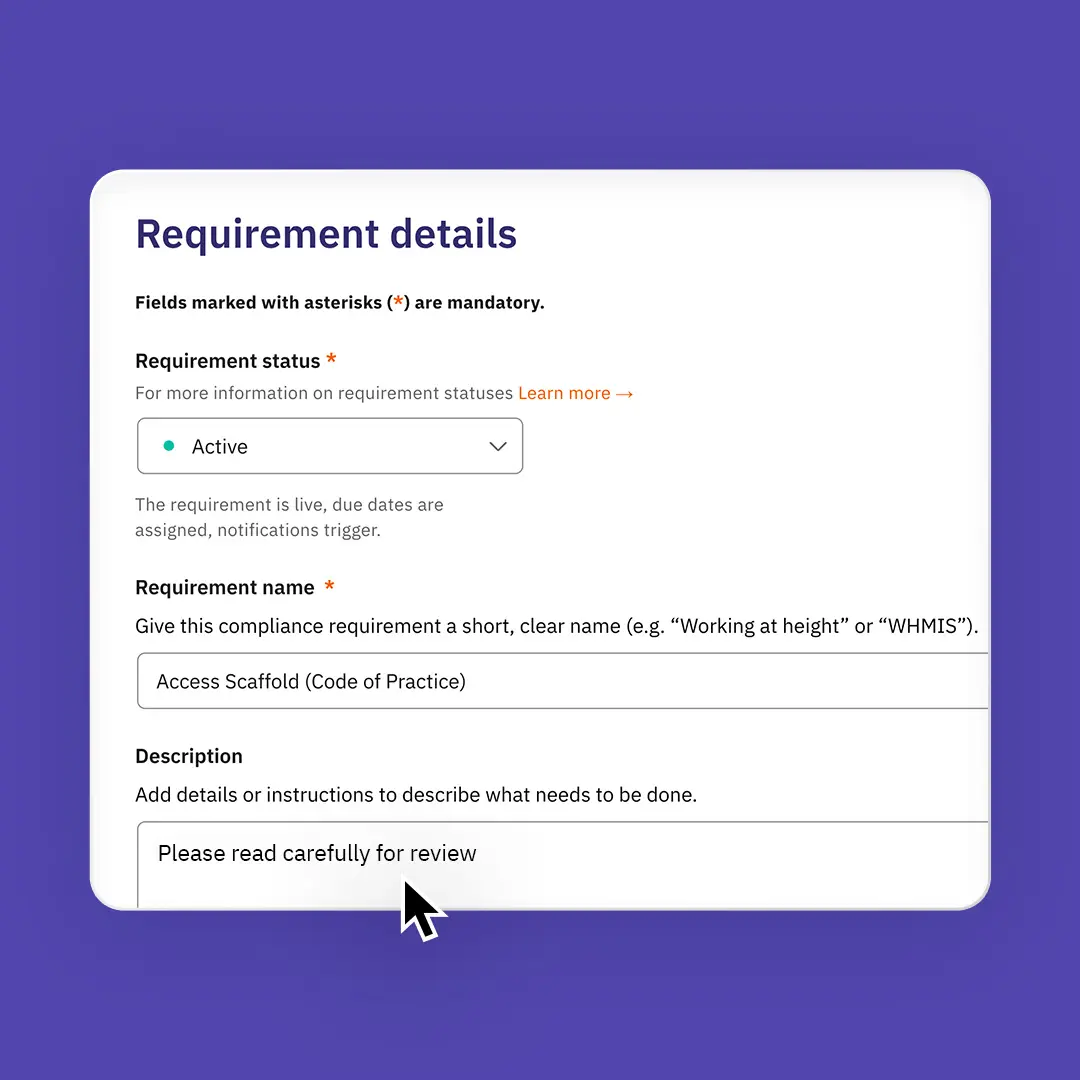
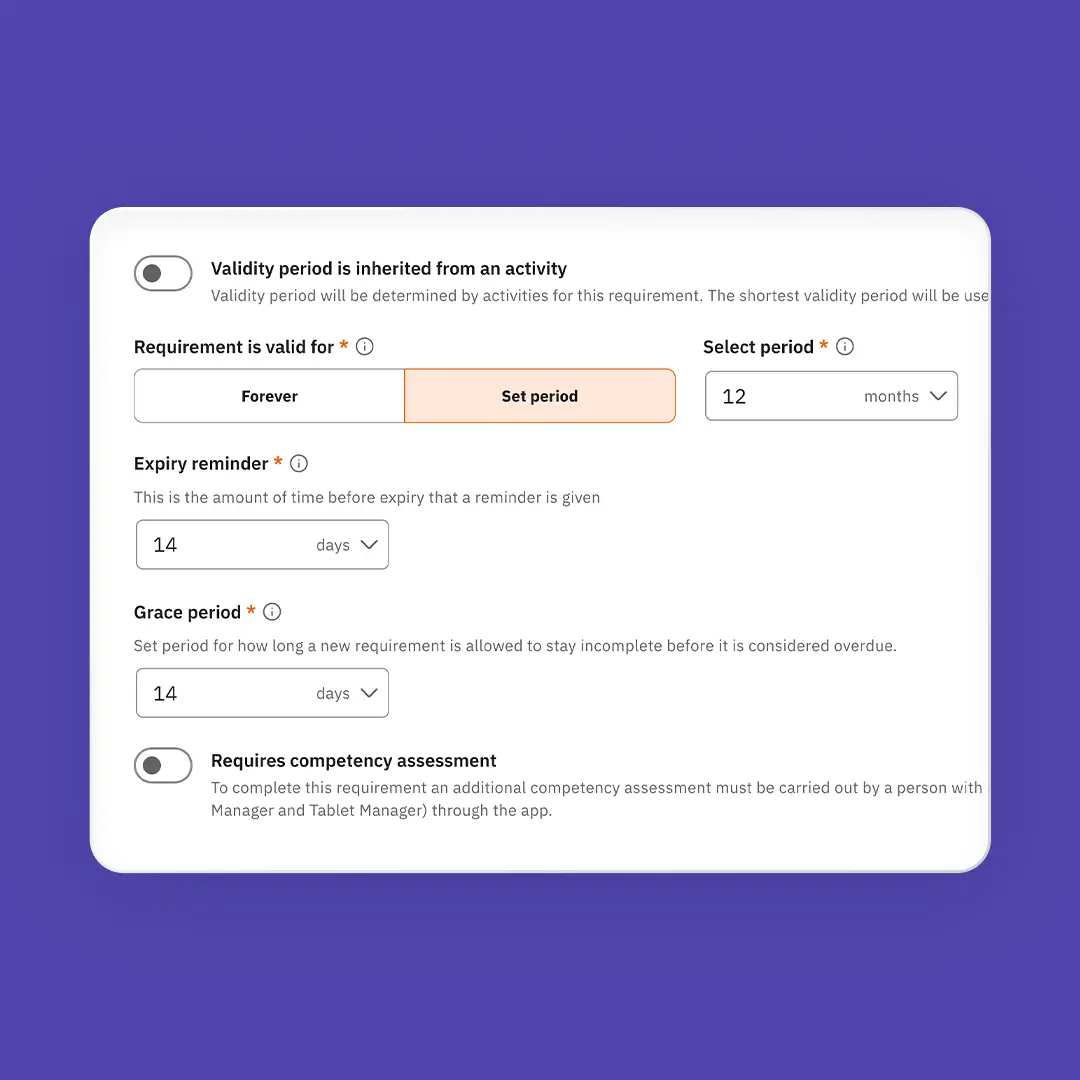
Turn your onboardings, tickets, policies, and sign-offs into clear requirements for every job role, subcontractor, or individual. Combine up to 30 activities - from online quizzes to classroom sessions - or accept existing valid certificates. New requirements automatically follow the crew, with built-in grace periods or exemptions for existing staff to ensure smooth rollouts.

Learn more about training
Training Matrix

Real-time field visibility and work-ready scores

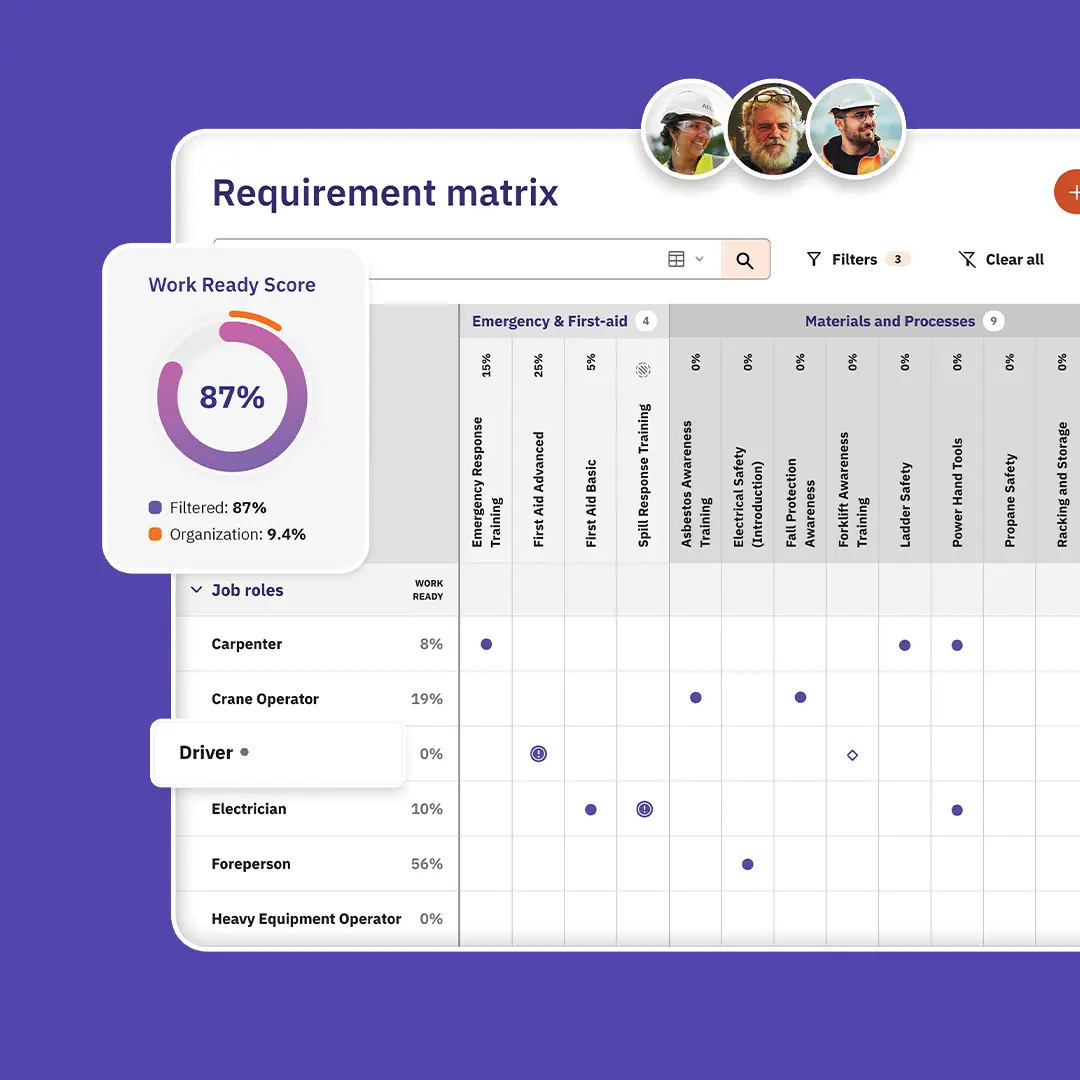
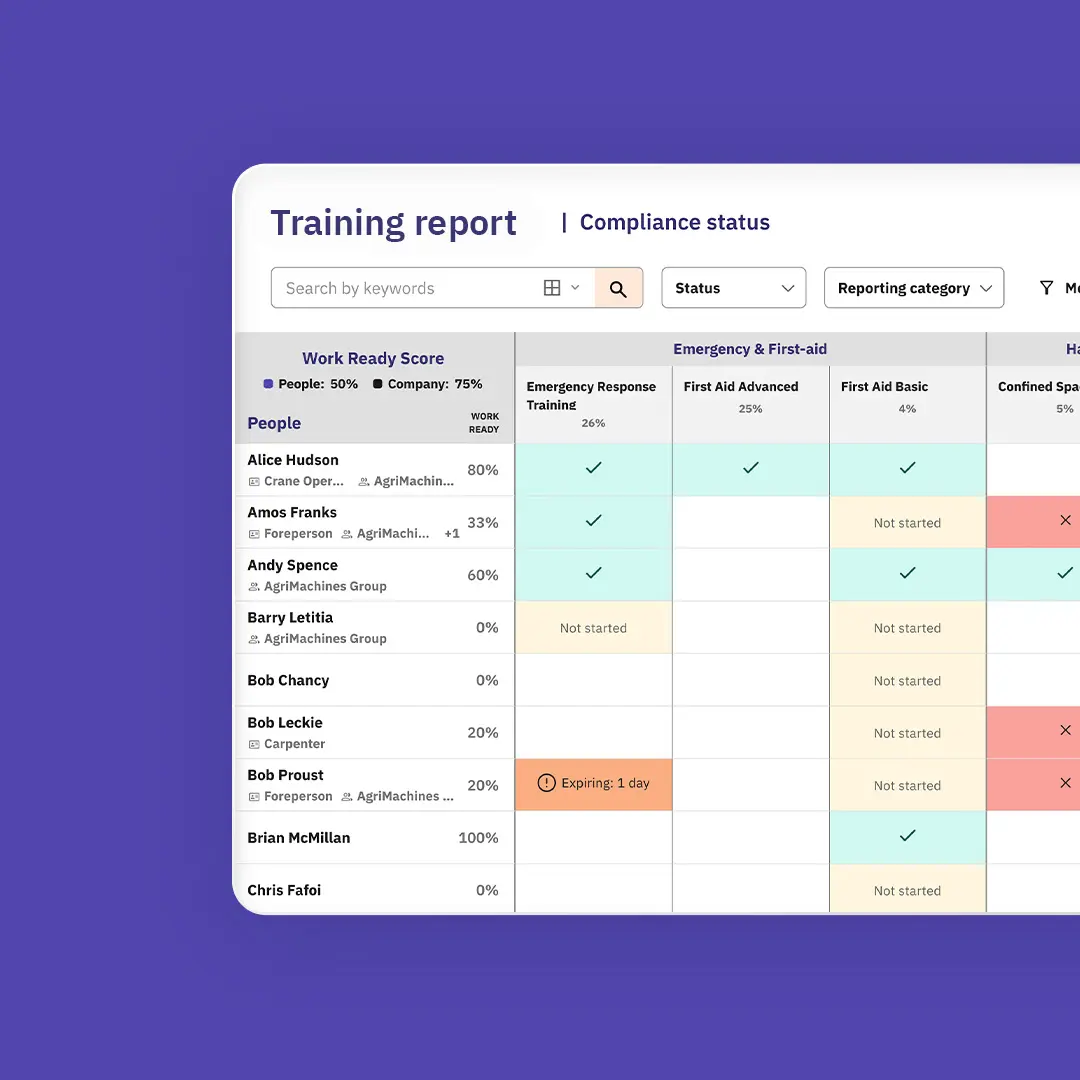
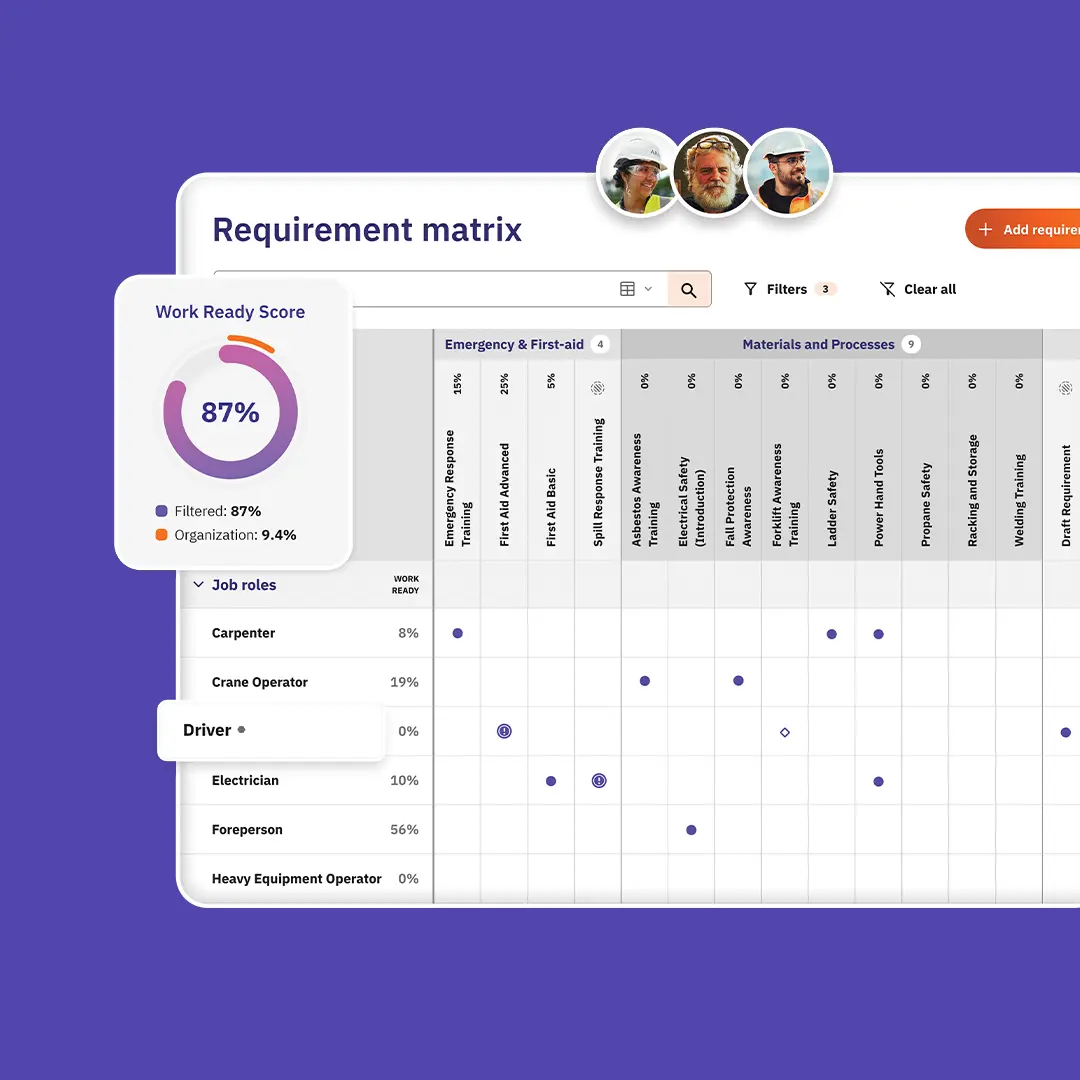
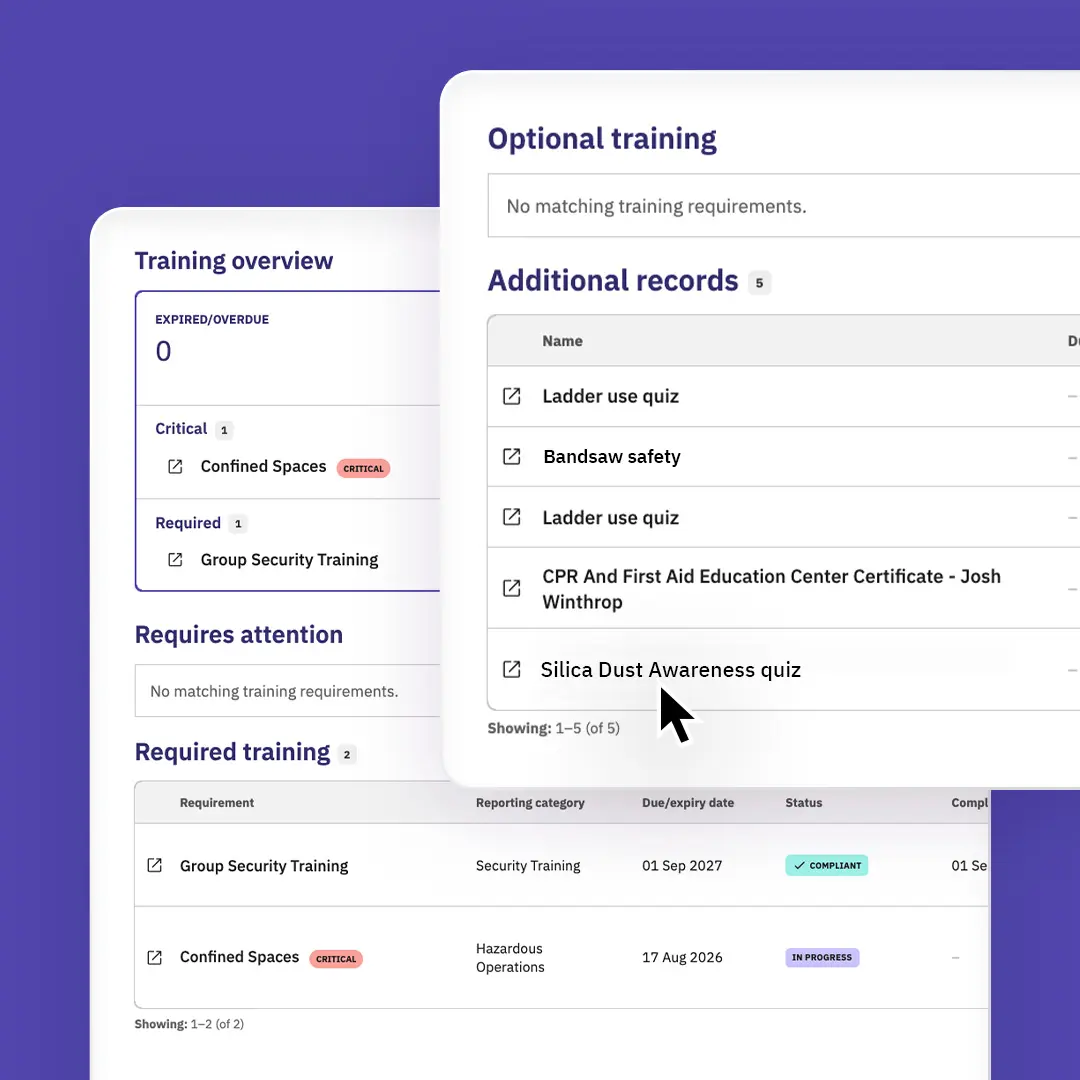
Know instantly who is cleared for work. The Training Matrix gives you real-time visibility into what training is assigned to whom and reporting highlights progress, expiration dates, and competency levels. Every worker gets an automated Work Ready score based on critical requirements, allowing supervisors to catch safety and compliance gaps quickly before any work begins.

Learn more about training
Training lifecycle

Automated expiration dates and smart renewals

Prevent expired tickets from stalling work on site. Set expiration rules on a fixed schedule, to never expire or expire based on the evidence provided, such as the date on a certificate. Automatically send renewal email reminders to go out before anything lapses, giving the crew time to book any external training. Existing valid proof carries forward seamlessly, so workers only refresh what has changed or expired. Keeping your crew off desk duty and in the field.

Learn more about training
Worker focused training app

Field and mobile-first training operations

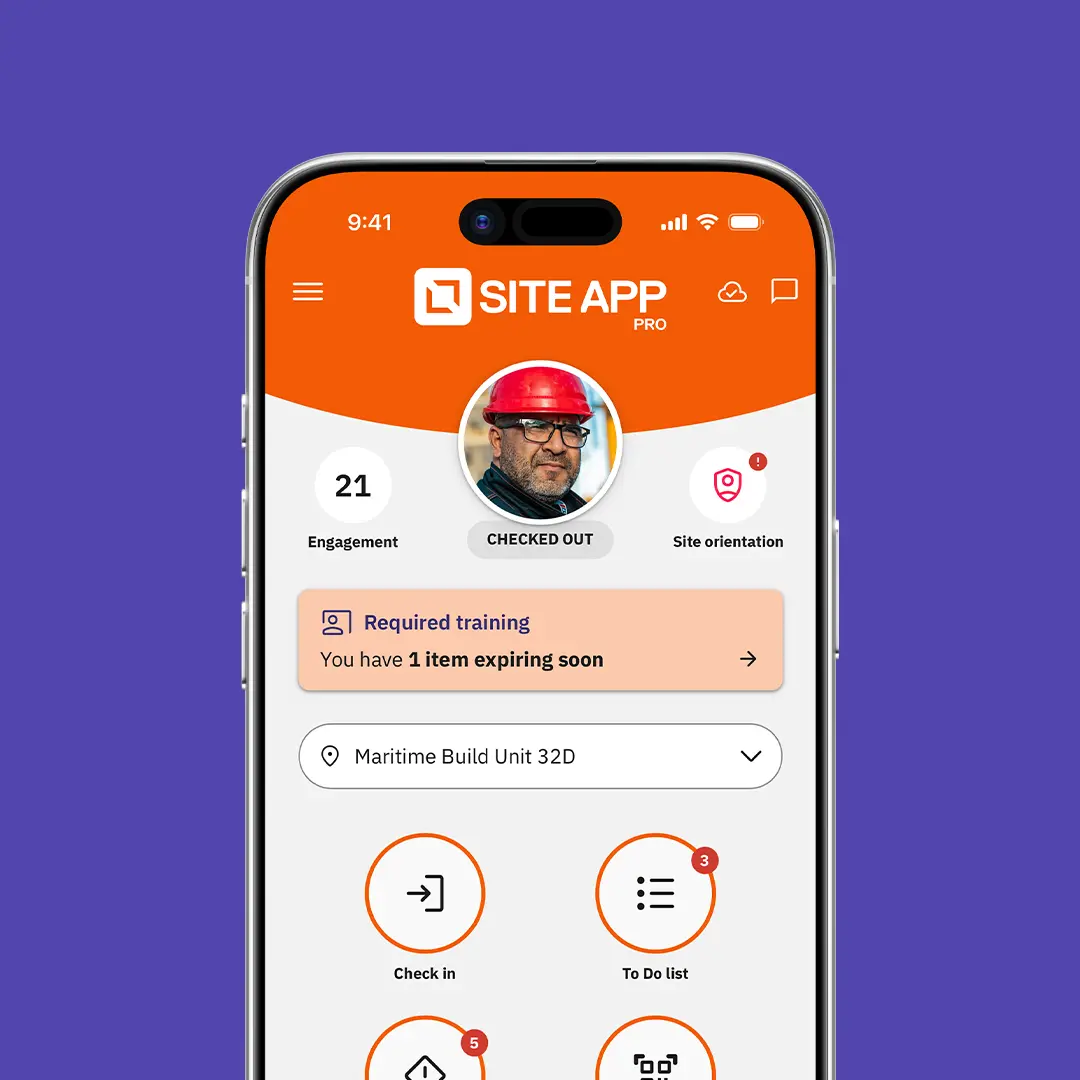
Workers can view resources, pass quizzes, sign policies, complete training, and upload certificates directly from their mobile app. In-app banners alert workers to what is still outstanding, and if evidence is rejected, they are shown exactly how to fix it. Supervisors can perform spot checks by reviewing a worker’s training, record activities and competency assessments. Logging in-person attendance has got easier, supervisors can now record presence for up to 50 workers at once - eliminating paperwork after training sessions.

Learn more about training
Training beyond the app

Frictionless subcontractor and casual worker access

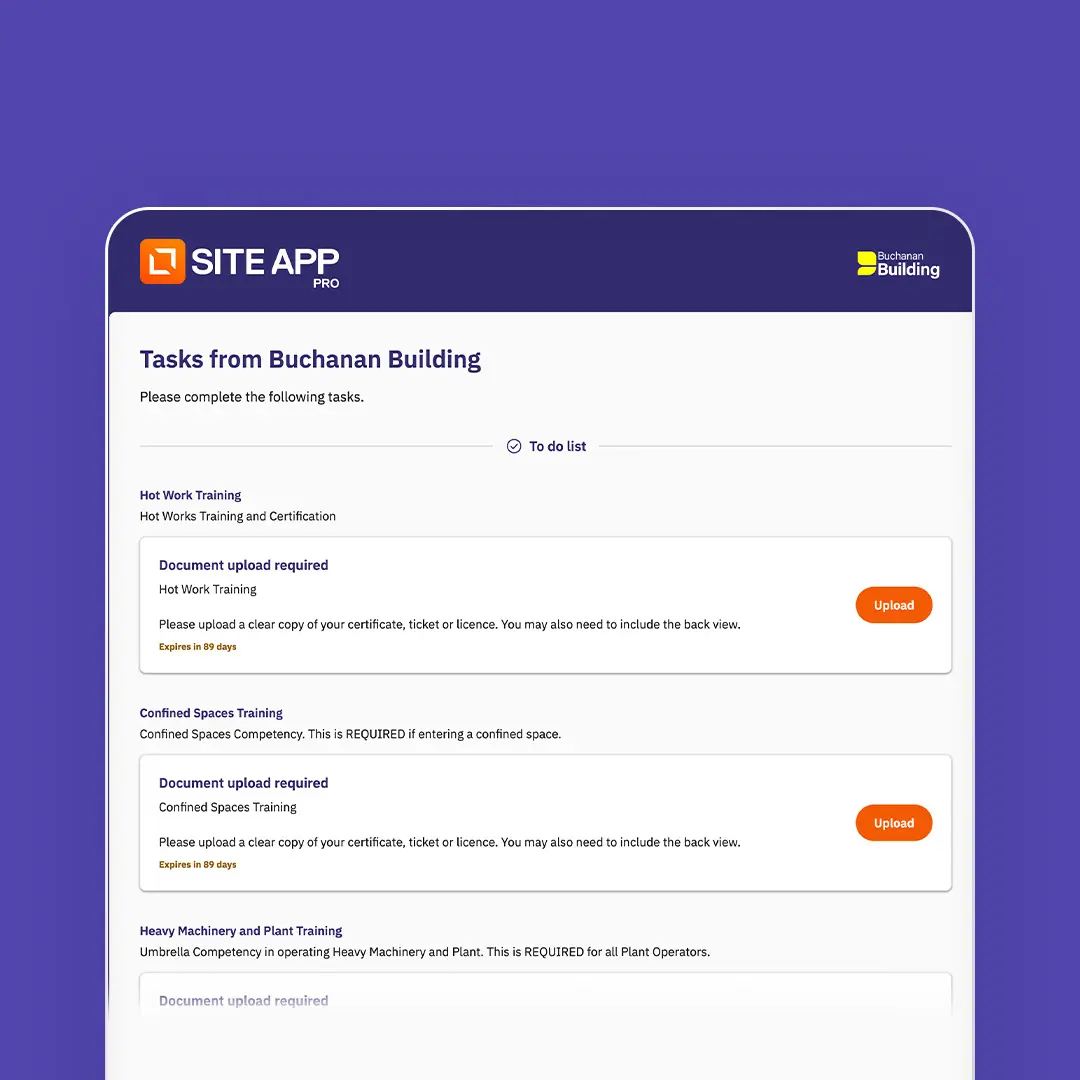
Not everyone on site uses the app every day, you can train subcontractors and casual workers without creating logins or app downloads. Send secure 90-day email links that group requirements and their quizzes, instructions, booking links and due dates to complete. If proof is rejected, automated triggers let them follow-up and fix issues independently. Or, if a quiz is failed, the worker can retest once the stand-down period ends, without anyone sending a new request.

Learn more about training
Training reporting

Instant audit report and multi-site controls

Provide instant compliance evidence to auditors, clients, or prime contractors in seconds. Export complete individual records for spot checks or summarized records for your crew through PDF and Excel, print it or keep digital where secure links to original proof can be retained. Above that group admins can manage, assign requirements, and monitor compliance across each company or department from a single dashboard.

Learn more about training
Import of training records

Rapid training importing with Site App AI

The question on every site is simple: is this person cleared to do this job? Switching systems or getting rid of Excel shouldn't mean starting from scratch. Either bring across your training plans and requirements or import your existing training records and let Site App AI create the requirements. This can be a spreadsheet or an export from your current training software, and Site App AI does its best to automatically match them to your people, job roles and requirements, complete with picking up dates for expiration and completion. Got a folder full of certificates? Follow the import process and Site App AI helps match each one to the right person, ready for approval.

Learn more about training

See how other safety professionals manage training

Ability to create and maintain custom forms. The AI feature makes building forms from a paper template super easy. I can build forms and works flows that match my program, rather than building my program around the system. Additionally, the Equipment module and QR codes has helped us get a handle on our fleet and made our mechanics lives easier. Great product, easy to use in both the field and the office. The team a Site App Pro is great too and are a great partner!

Jerome Harney

Weka

Great customer service, and the platform is very easy to use and customizable to any company-specific requirements. Easy for our site staff to use.

‍

Stephanie Clark

Ritestart Limited

The customer support, hands down. You get an actual person, fast, and they answer the question you asked. The AI support is the same way. It gives you a real, detailed answer instead of pointing you to a pre-written FAQ page, which is my biggest pet peeve with basically every other app out there. The AI form builder is great too, it's saved me a ton of time building out our forms. And they're constantly adding features and upgrading things. It never feels like a product that's just sitting there. Super user friendly, feels like it was built this decade.I manage HSE and admin across a couple of companies in BC and Alberta, so I've used a few of these platforms. Site App Pro is the one I wish I'd found first. I'm actually cancelling SiteDocs for my other company and moving everyone over to Site App Pro because it's that much easier to run day to day. My only regret is not going with them from the start, but what you don't know, you don't know. So here I am telling you: just do it.

Shawna Applejohn

Stone River Group & Envision Geo

The Site App Pro team was great on helping us get all of our information into the system. There were several phone calls and Teams calls that showed us how to do what we needed. It was easy to customize to our unique needs. Site App Pro reduced our manhours for looking at daily equipment inspections, equip. inspection, work area inspections and JSA dramatically. What used to take 30 to an hour is now taking 10-20 minutes for every employee. That really adds up.

LeRoy W

Piteau Associates Engineering

Site App Pro stands out for its user-friendly interface and powerful project management features. What I liked most was how it streamlines communication between office teams and field crews, keeping everyone updated in real time. The ability to capture site photos, complete digital forms, and track tasks from a mobile device significantly improves efficiency and accountability. The reporting tools are also excellent, making it easy to generate professional documentation and maintain compliance records. Overall, Site App Pro helps reduce paperwork, improve team collaboration, and keep projects organized, saving both time and effort while increasing productivity across construction and field operations.

John F

FCM Construction

Access to support when needed. Superior customer support. I found the workers and field staff enjoyed using Site App Pro as it was intuitive. I've always had good feedback from the field regarding how easy it is to use Site App Pro. The proof is in the pudding and seeing high engagement scores from the workers all the way to the top is a strong indicator of Site App Pro's effectiveness. From inception to rollout I found the team at Site App Pro did a great job ensuring everything went smoothly.

Jonathan U

Industra

The team behind the product have been amazing to deal with, Interface is very easy to use my crews been using it daily. I feel like its been worth every penny.

Mario Rapozo

PTR Paving

Just a fantastic group of professionals and go getters. They actually WANT your business. In a world where customer service has taken a sharp downturn, the culture here has managed to assemble a team that still believes in working for the customer.

Jeremy S

Mountain Peak Safety

We are also pleased to continue our collaboration with SiteApp. The implementation of their digital safety management platform has resulted in a seamless transition of our safety documentation processes, improving efficiency, compliance, and accessibility across the project. The SiteApp team has been a valuable partner in supporting our operational and safety objectives.

Alberto Robles

Frontier Group

Whether you are a small company trying to move away from paper binders, or a big GC that needs to control a large project, Site App Pro is a great choice because of features and price. The key difference is that you can configure Site App Pro to fit your needs, and not have to fit your process around the limitations of a generic safety software system.

Jerome Harney

L&S Construction

Utilizing Site App Pro for our client’s safety programs makes managing the safety program a breeze in terms of organization and ease of use. Site App Pro creates optimal communication between our clients and 1st Quality Safety.

Marlys Wilson

1st Quality Safety Consulting

Site App Pro has significantly made compliance much easier at Grascan. With SAP, we are able to see at a glance everything that is happening on the jobsites. Forms and documentation are easier to fill out and we are getting much more user engagement than before. I’m not having to constantly followup for mandatory documentation.

Janice Wu

Grascan Construction

Compared to our last safety app, the difference in support has been night and day. I always receive immediate help by email or phone from our Customer Success Manager, Josh Presley. He has been very attentive to all of my questions and explains everything step by step. It has given me considerable confidence in the app, and I know I am in good hands.

Duncan Raleigh

Kenalex

All the training features you need

Manage every worker’s training, certifications and licences in their individual worker profile.

Safety quizzes

Test worker comprehension of site policies and operating manuals.

Training forms

Log skill development, evaluations and field sign-offs.

Worker profile

An individual's full history of safety activity and credentials.

Resource library

Store critical standard operating procedures and safety documentation for reference.

Expiry tracking

Trigger automated alerts before licences, work permits or certifications lapse.

Certifications

Store individual credentials alongside site-specific approvals.

Training matrix

Map training requirements across roles to spot competency and training gaps.

Training register

Switch between matrix grids and records to identify missing certifications, upcoming expiries, or skill gaps.

External portal

Enable non-app users and subcontractors to submit verified compliance documents.

Work-ready score

Benchmark worker readiness instantly and spot non-compliance gaps before they turn into risks.

Job roles

Group workers by role to deploy relevant compliance requirements automatically.

Approvals

Send completed forms to management for mandatory sign-off.

Exempt people

You can exempt people from the training requirement or complete on their behalf.

Competency matrix

Centralize verified employee skills and operating licences in one location.

Training report exports

Export filtered training views directly to a spreadsheet or PDF with digital verification links.

Site supervisor in a hard hat using a tablet above a busy construction site

Health and safety management software for small to enterprise US companies.

  • Offline functionality
  • Free onboarding
  • Localized support
  • Real-time dashboard
  • Safety mobile app
Book a demo

Explore more features

Two construction workers in orange hi-vis and hard hats completing a site form outdoors

Site safety

Site safety
Gloved hand holding a phone with a safety form open, workers blurred behind

Site App AI

Site App AI
Worker in a hi-vis vest completing a safety form on a phone

Forms and processes

Forms and processes

FAQS

The Training Management Module brings training, tickets, certifications, policies and competency assessments together in one place. You set what each worker needs to know, do or provide, assign it to the right people, and see at a glance who is ready to work on the job site.

‍

Almost anything your crew needs to complete, from WHMIS and fall protection to first aid and site orientations. Each requirement can combine online quizzes, forms, policy sign-offs, document reviews, classroom sessions, external courses and uploaded tickets. If a worker already holds a valid ticket or certification, that alone can satisfy the requirement.

‍

Assign requirements by job role, crew, subcontractor or individual worker, and mark each one as critical, required or optional. When a worker changes roles or joins a new crew, their training follows them automatically.

‍

The Training Matrix shows who has been assigned what. The Training Register shows everyone's progress, expiry dates and competency. Each worker also has a Work Ready score, so you can spot gaps before they become a problem on the job site.

‍

You choose whether a requirement expires on a fixed schedule, never expires, or expires based on the evidence provided. Reminders go out before the expiry date. At renewal, anything still valid carries over, so workers only redo what actually needs refreshing.

‍

Yes. Workers can read resources, sign policies, take quizzes, complete forms and upload their tickets in the mobile app. Supervisors can also record in-person training and competency assessments for their crew right on the job site, for up to 50 workers at a time.

‍

Yes. Eligible workers get an email with a secure training link that's valid for 90 days. They see all their outstanding training in one place, with no account or app to set up.

‍

Yes. Import your existing training records from a spreadsheet, such as an export from your LMS, and they're matched to your workers and requirements. You can also bulk upload tickets and certifications, and AI helps match each one to the right worker.

‍

Yes, the Training Management Module is an added cost per pack. See our pricing page for details.

‍